
Admin: Client Errors
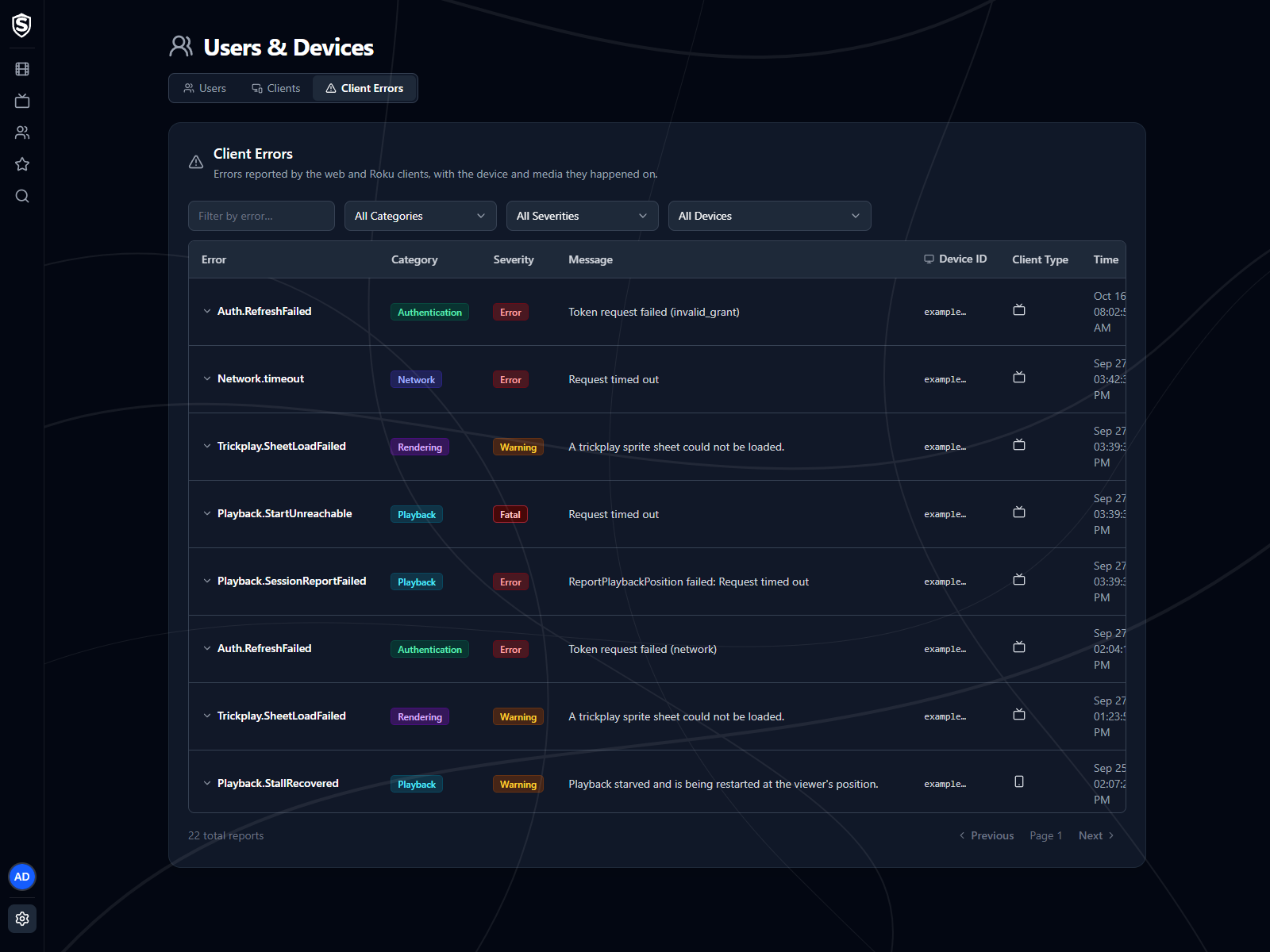
The Client Errors page collects problems the web, Roku and Android clients ran into, so a viewer saying “it didn’t work” turns into something you can act on.
Reading a Report
Section titled “Reading a Report”Each row is one report:
- Error - the operation that failed, such as a media player fault or a token refresh.
- Category - playback, network, rendering, authentication, unhandled, or other.
- Severity - warning, error, or fatal.
- Message - what the client said went wrong.
- Device ID - the start of the identifier of the device that reported it, matching the entry on the Clients page.
- Client Type - an icon for the kind of client that reported it: a TV, a phone, or a browser.
- Time - when it happened.
Expand a row for the full detail: the screen and URL it happened on, the client version, platform and model, the user signed in, the title and playback position if it happened during playback, and the full message, stack trace and raw data the platform returned.
Filter by error name, category, severity, or device to narrow a wide list down to the pattern you’re chasing. The device list includes every known device, so you can also confirm one has been quiet.
Reports are kept for 30 days by default. Set Sovereign__ClientErrors__RetentionDays to change that, or to 0 to keep them forever.
Titles, artwork, people and descriptions shown in screenshots are fictional and were created for illustration. Sovereign doesn't include or supply any media: it plays the library you bring.