
Moving a License
A license belongs to one server at a time, and moving it happens on the servers involved, in System > License. With the old server still running, a transfer code does it. With the old server gone, the email address you paid with does.
From a Server That’s Still Running
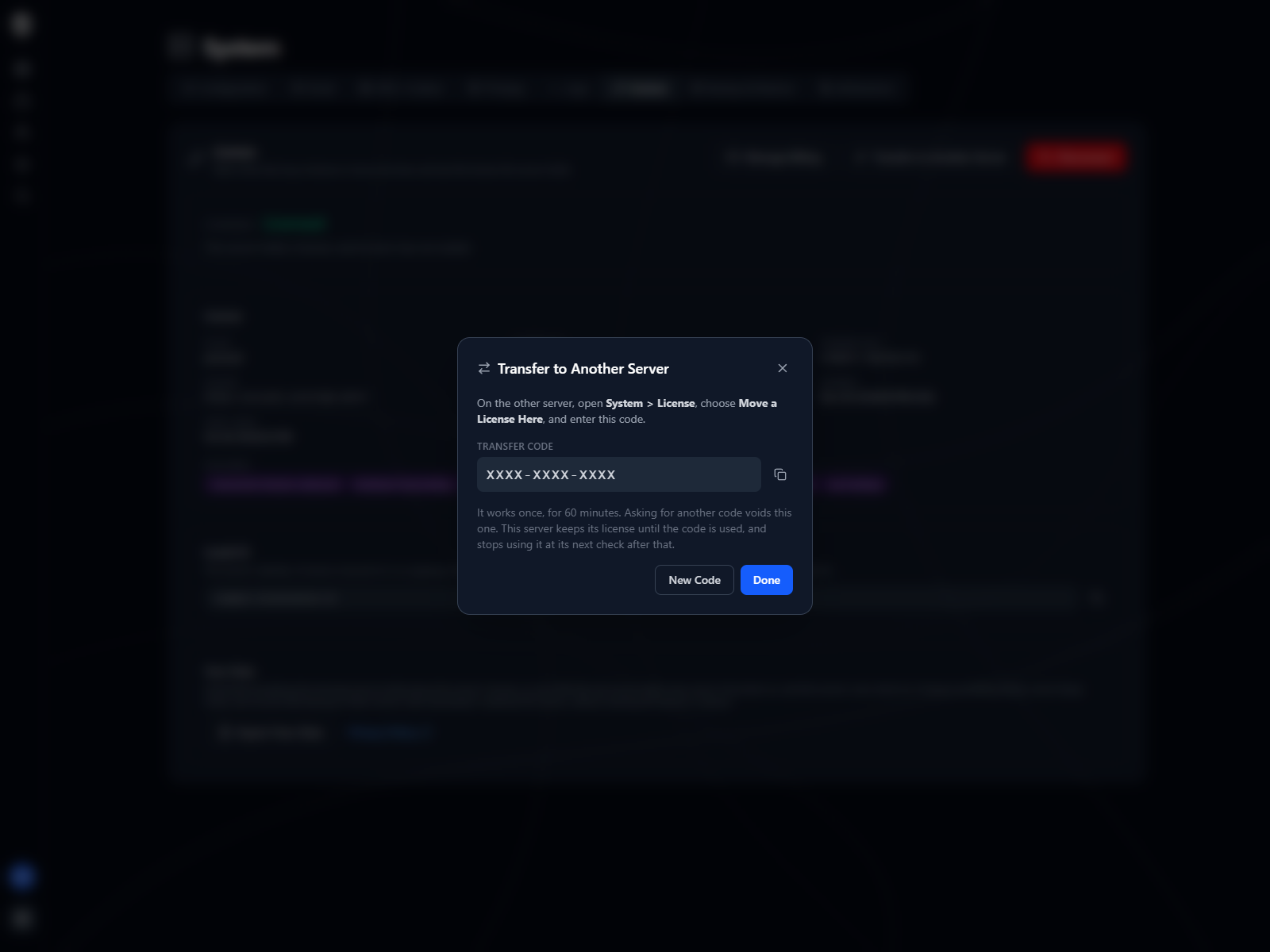
Section titled “From a Server That’s Still Running”On the server that holds the license, choose Transfer to Another Server. It shows a code made of twelve letters and digits in three groups. Nothing moves yet, and the server stays licensed while the code is waiting.
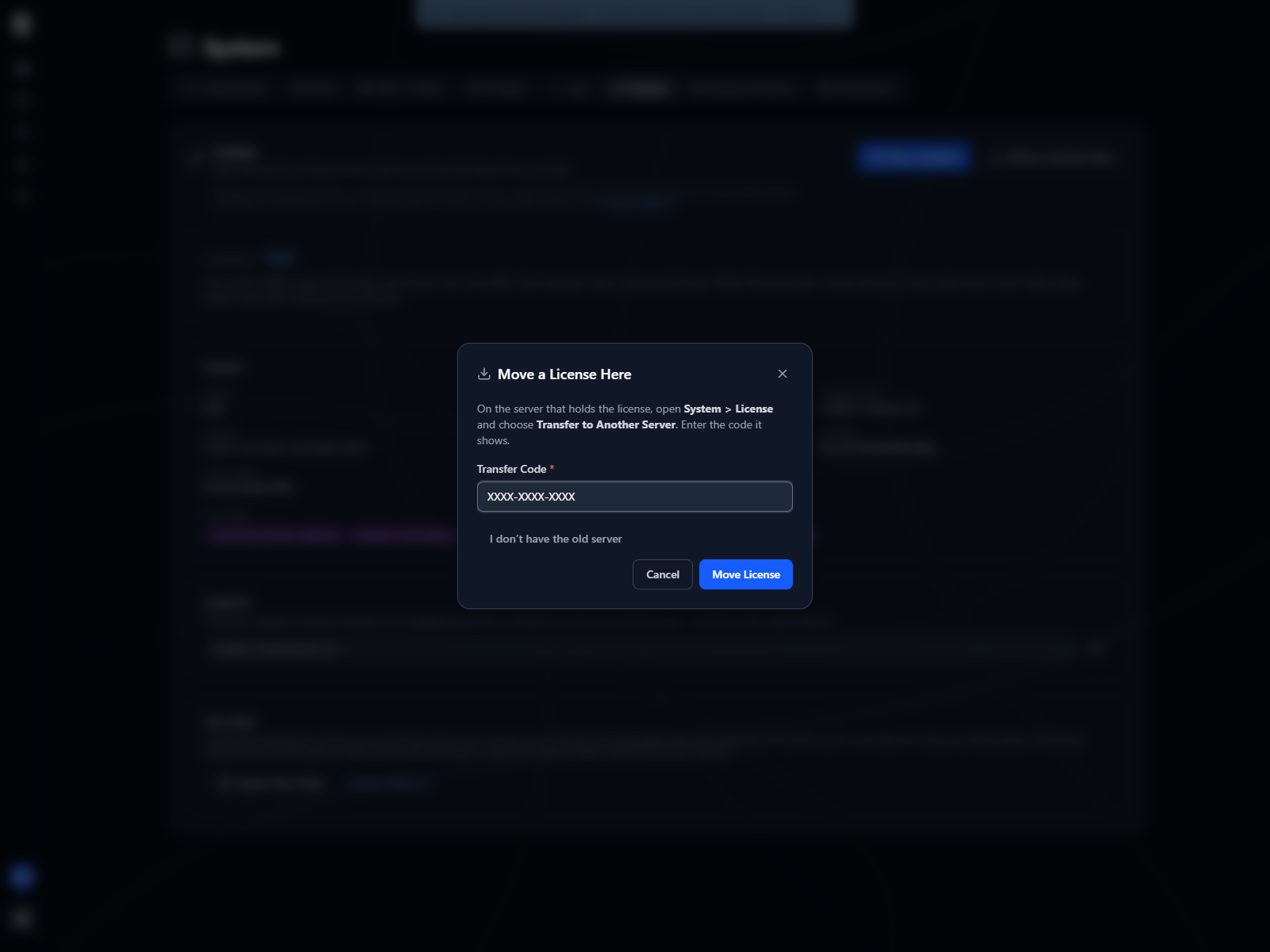
On the new server, choose Move a License Here and enter the code. The license connects to the new server straight away. The old server finds out at its next check-in, within about 12 hours, reads Superseded and shows the notice. Disconnect it if you’re keeping it around.
The code works once and lasts an hour. Asking for another one replaces it, so only the newest code you’ve been shown will work. It isn’t case-sensitive, and the dashes are optional.
sequenceDiagram
  actor Y as You
  participant O as Old server
  participant L as Licensing service
  participant N as New server

  Y->>O: Transfer to Another Server
  O->>L: Ask for a transfer code
  L-->>O: A code, good for an hour
  Note over O: Stays licensed while<br/>the code waits
  Y->>N: Move a License Here, with the code
  N->>L: Redeem the code
  L-->>N: The license, now this server's
  Note over O,L: Within about 12 hours
  O->>L: Regular check-in
  L-->>O: Superseded
From a Server That’s Gone
Section titled “From a Server That’s Gone”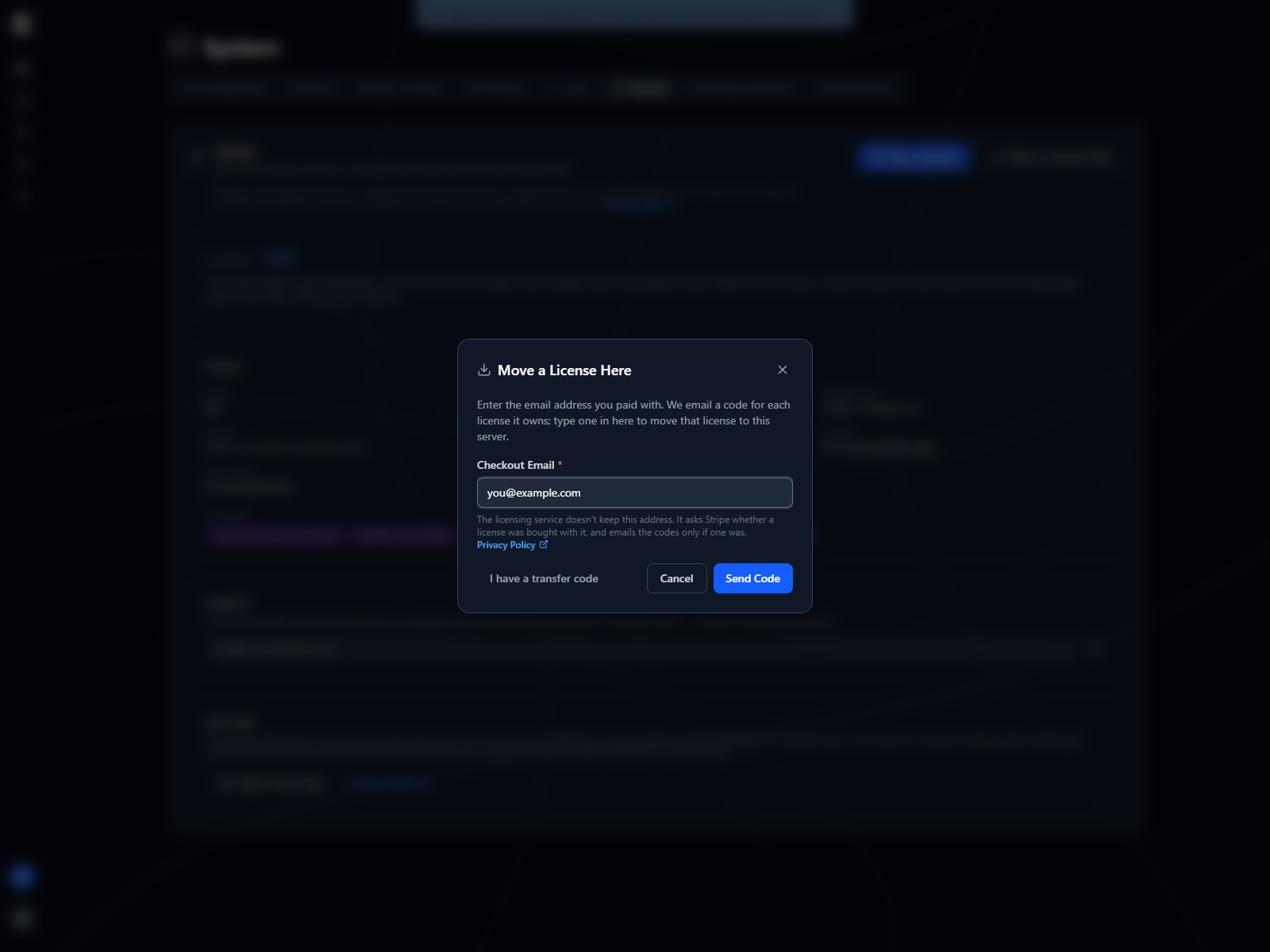
On the new server, choose Move a License Here, then I don’t have the old server. Enter the address you paid with, the one your receipt was sent to. The licensing service emails a code for each license that address has paid for, labelled with its plan and license ID, and you type the right one into the dialog.
The page says the same thing whether or not the address matched anything, so nobody can use it to find out whose email has bought a license. If no email arrives within a few minutes, check the address against your receipt and type it exactly as it appears there, capitals included, then check your spam folder.
The codes last 15 minutes. Five wrong entries close the request, and you’d ask for a new email. At most three emails go to one customer in an hour, however often it’s asked for.
sequenceDiagram
  actor Y as You
  participant N as New server
  participant L as Licensing service
  participant M as Email inbox

  Y->>N: I don't have the old server, and the email you paid with
  N->>L: Ask for recovery codes
  L-->>N: The same answer, matched or not
  L->>M: A code for each license<br/>that address paid for
  M-->>Y: Read the code
  Y->>N: Type the code
  N->>L: Redeem the code
  L-->>N: The license, now this server's
The code only ever travels from your mailbox to you, and from you into your own server. Nothing in the email talks to a server.
The same steps work when the old server is still running but you can’t reach its admin settings, and when you closed the purchase dialog before it had connected the license.
Disconnecting
Section titled “Disconnecting”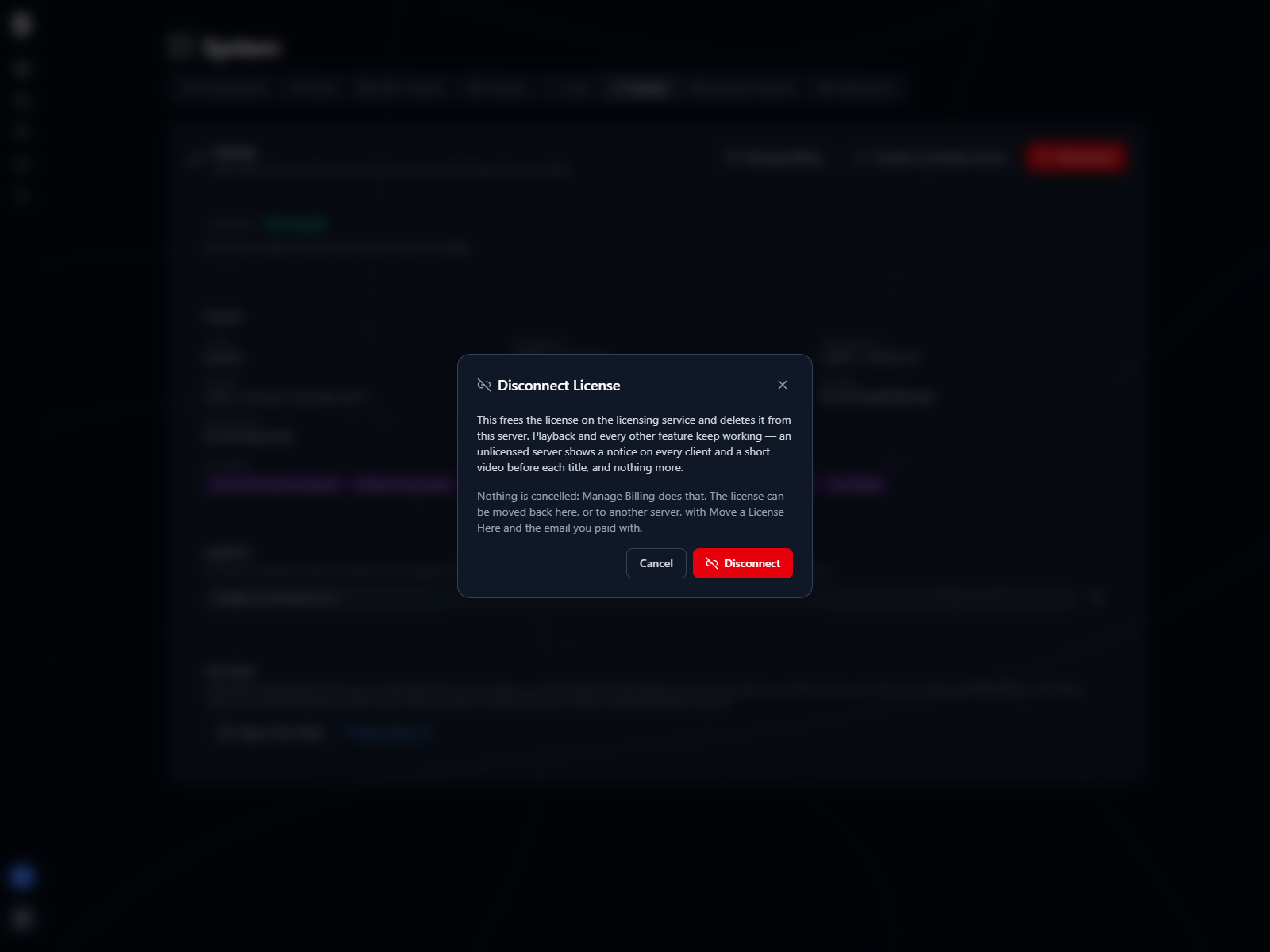
Disconnect deletes the license stored on this server and tells the licensing service the server no longer holds it, which leaves the license free to move somewhere else. Nothing is cancelled: the subscription carries on, and Manage Billing is where you’d stop it.
Between disconnecting and connecting a license again, the server reads Unlicensed and the notice comes back. Playback and everything else keep working.
Disconnecting when the server can’t reach the licensing service still deletes the local copy, but the licensing service goes on counting this server as the license’s holder. The license can still be moved to another server afterwards with the email you paid with. Until it is, this server can’t buy a license or take a different one.
A trial that’s still running can’t be disconnected, and the License page doesn’t offer the button while it is. It’s this server’s only trial: once released it couldn’t be started again, and with no payment behind it there’s no email to bring it back with. You don’t need to clear it first, either, because buying a license or moving one here replaces the trial. Once a trial has ended, Disconnect comes back.
Server Changes
Section titled “Server Changes”Each license allows 10 moves in any rolling 30 days. A transfer, a recovery, and reconnecting a rebuilt server that came up with a new identity each spend one, and the limit is what stops one license being passed back and forth between households. A move past the limit is refused with the date the oldest one stops counting, and you’d try again then.
A server rebuilt from its own user backup doesn’t spend one. The backup carries the server’s identity along with its license, so the restored server is the same server as far as the licensing service can tell, and nothing moves.
Moves aren’t the only thing that can put a license on two machines. Restoring a backup onto a second server copies the license with it, and Licensing explains what happens then and how to clear it.
When Nothing Else Works
Section titled “When Nothing Else Works”If the old server is gone and you no longer have the email you paid with, contact us from wherever you can. Support can check who you are against the purchase and give you a transfer code to enter in Move a License Here, as if the old server had shown it to you.
The same goes for a server stuck behind a license that isn’t yours, such as one restored from somebody else’s backup, where the refusal says another license holds it.
Billing Without a Server
Section titled “Billing Without a Server”The subscription is held by our payment processor, so it carries on whatever happens to your servers. Manage Billing on whichever server holds the license opens it. With no server holding it, sign in to the billing portal from its sign-in page with the email you paid with, to update a card, download invoices or cancel.
Titles, artwork, people and descriptions shown in screenshots are fictional and were created for illustration. Sovereign doesn't include or supply any media: it plays the library you bring.