
Admin: Clients
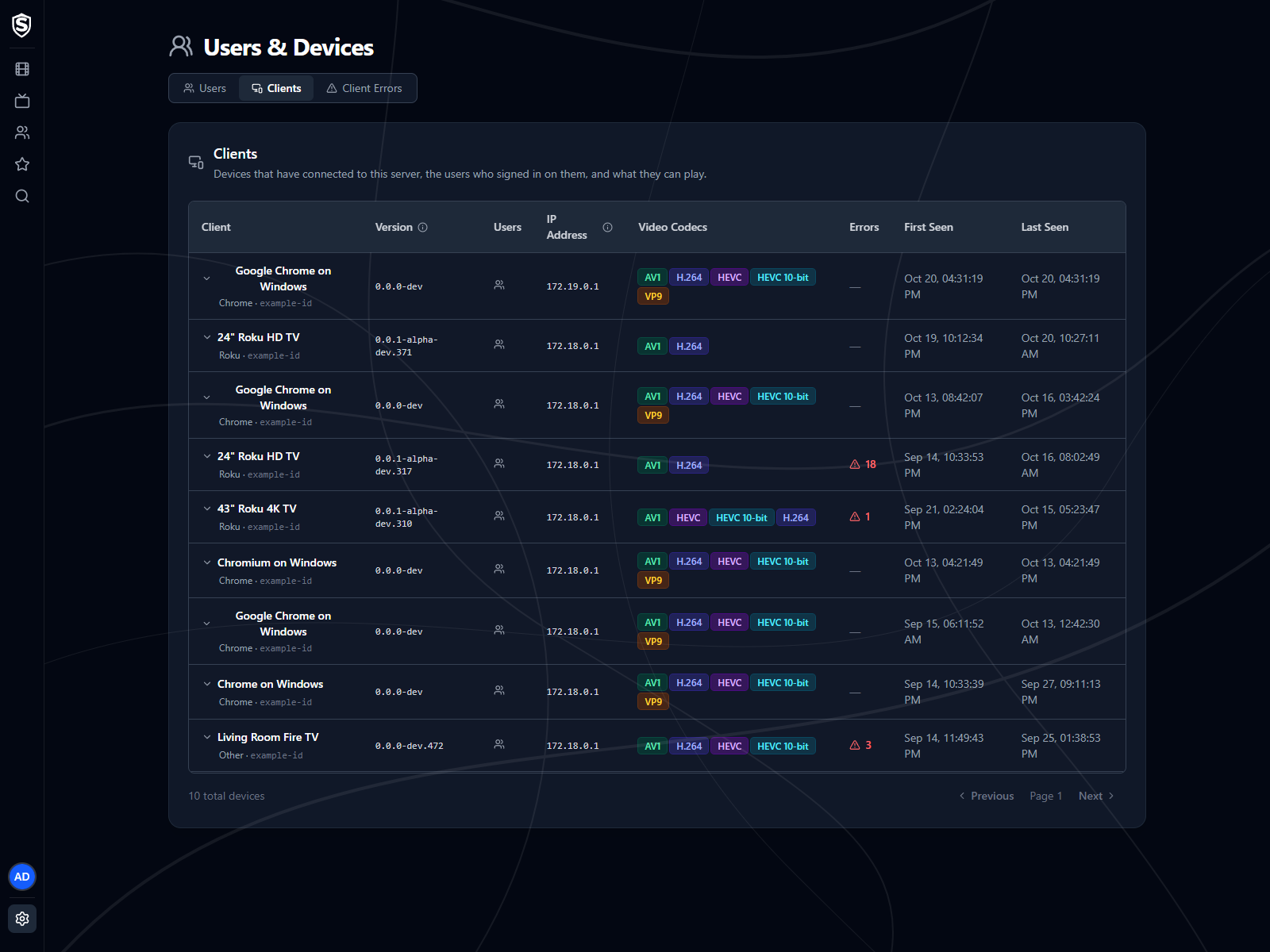
The Clients page lists every device that has connected to this server, who signed in on it, and what it can play.
The Table
Section titled “The Table”Each row is one device:
- Client - the name the device gives itself, with the kind of client it is (a browser and operating system, a Roku model, the Sovereign app) and its device identifier beneath.
- Version - the build of the client that device is running, the same string its error reports carry. It’s reported when the device registers, which happens once per launch or sign-in, so it can be older than Last Seen. A device that hasn’t reported a version shows a dash.
- Users - the accounts that have signed in on that device. Hover the icon to see them.
- IP Address - where the device connected from.
- Video Codecs - the video formats the device told the server it can decode. This is what playback negotiation works from, so a device missing a codec here will be transcoded to something it does support.
- Errors - how many problems that device has reported. Click the count to open Client Errors already filtered to that device.
- First Seen / Last Seen - when the device first connected and when it was last active.
Expand a row to see the device’s full reported capabilities: its display size, connection type and downlink, whether it plays HLS natively or through MSE, its platform, model and user agent, and the full list of formats it supports.
A device that hasn’t connected for 90 days is removed from the list. Set Sovereign__ClientDevices__RetentionDays to change that, or to 0 to keep every device.
© 2026 Sovereign Media LLCdocs/v1.0.5@98b57ac305fc
Titles, artwork, people and descriptions shown in screenshots are fictional and were created for illustration. Sovereign doesn't include or supply any media: it plays the library you bring.