
Admin: FFmpeg
The FFmpeg page describes the FFmpeg build this server ships with and everything compiled into it. It sits under System in the admin menu, beside GPU / Codecs.
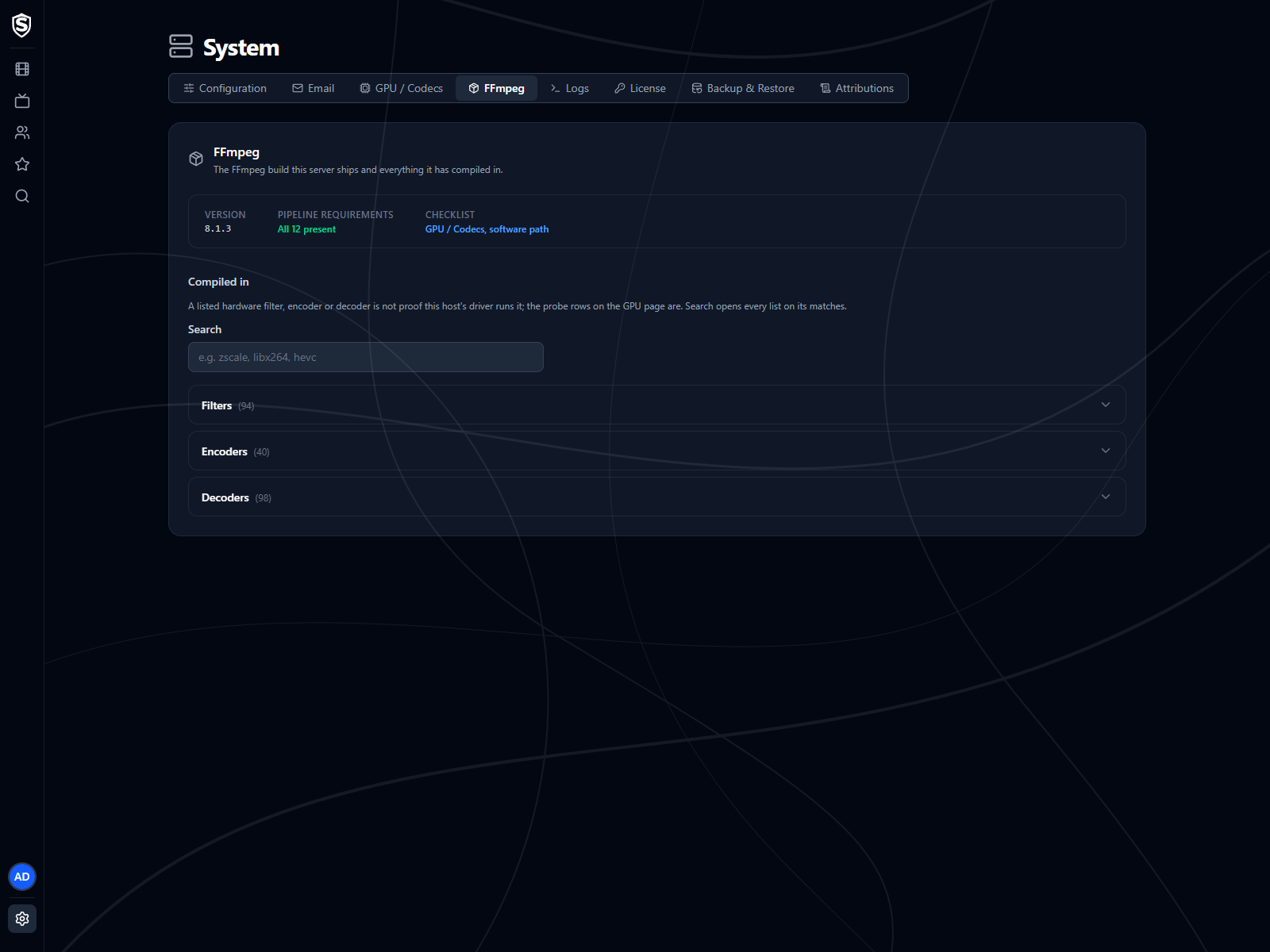
Version and Requirements
Section titled “Version and Requirements”The top of the page gives the FFmpeg version and a one-line verdict on the components Sovereign’s pipeline needs: all present, some not checked, some missing but none of them required, or some required ones missing. Checklist links to the GPU / Codecs page, whose software tab lists each component, what it’s needed for and what happens without it.
Compiled In
Section titled “Compiled In”Three folded lists (Filters, Encoders and Decoders) name everything the build includes, each with a count. Type into the search box to find a name such as zscale or libx264; every list opens on its matches, and a search with no hits says so.
A hardware encoder or filter appearing here only means it was compiled in. It doesn’t prove your GPU and driver can run it. The startup probe results on GPU / Codecs show whether they can.
If the server couldn’t read FFmpeg’s lists at startup, the page says so and points you at the server log.
Titles, artwork, people and descriptions shown in screenshots are fictional and were created for illustration. Sovereign doesn't include or supply any media: it plays the library you bring.