
Admin: Email
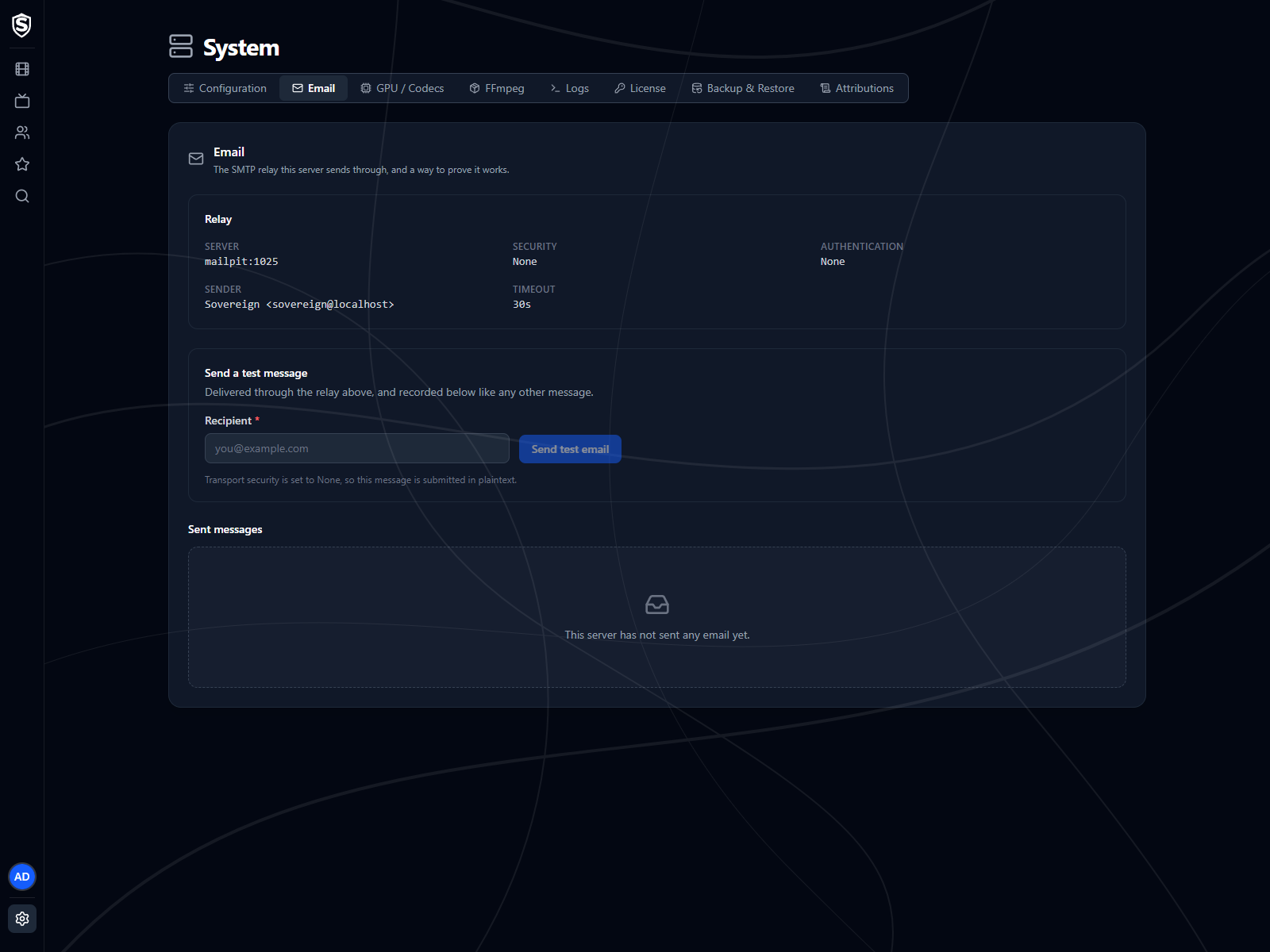
The Email page shows the SMTP relay this server sends through, lets you prove it works with a test message, and lists every message the server has sent. It sits under System in the admin menu.
When Email Is Off
Section titled “When Email Is Off”With no relay host configured, the page says email is off and that the server sends nothing until you give it a relay. There’s no separate on/off switch: set the relay host and a sender address, restart the server, and email is on. Email lists the settings, and Configuration shows the values the server is running with.
Once a relay is configured, this section shows what the server is using:
- Server - the relay’s host and port.
- Security - how the connection is secured (STARTTLS unless you’ve changed it).
- Authentication - the username the server signs in with, or None.
- Sender - the name and address messages come from. The name defaults to “Sovereign”.
- Timeout - how long the server waits on the relay before giving up on an attempt.
Send a Test Message
Section titled “Send a Test Message”Enter an address under Recipient and click Send test email. The message goes through the relay above and is recorded in the table below like any other. The page waits for the relay’s answer, so a failure shows the relay’s own error text straight away. When the relay’s security is set to none, the page warns that the message will cross the network unencrypted.
Sent Messages
Section titled “Sent Messages”Every message the server has tried to send, newest first, 25 to a page. The table shows when each was queued, who it went to, the subject, its status, how many attempts it took and the last error. Hover a status for what it means:
- Sent - handed to the relay without error.
- Queued - waiting for its first attempt or a retry.
- Failed - every attempt failed.
- Disabled - email wasn’t configured when the message came up, so it was recorded and not sent.
Click a row to see the sender, the last attempt, when it was sent, and the full text of the message. The table appears even while email is off, so you can see what would have gone out.
Titles, artwork, people and descriptions shown in screenshots are fictional and were created for illustration. Sovereign doesn't include or supply any media: it plays the library you bring.