
Device Pairing
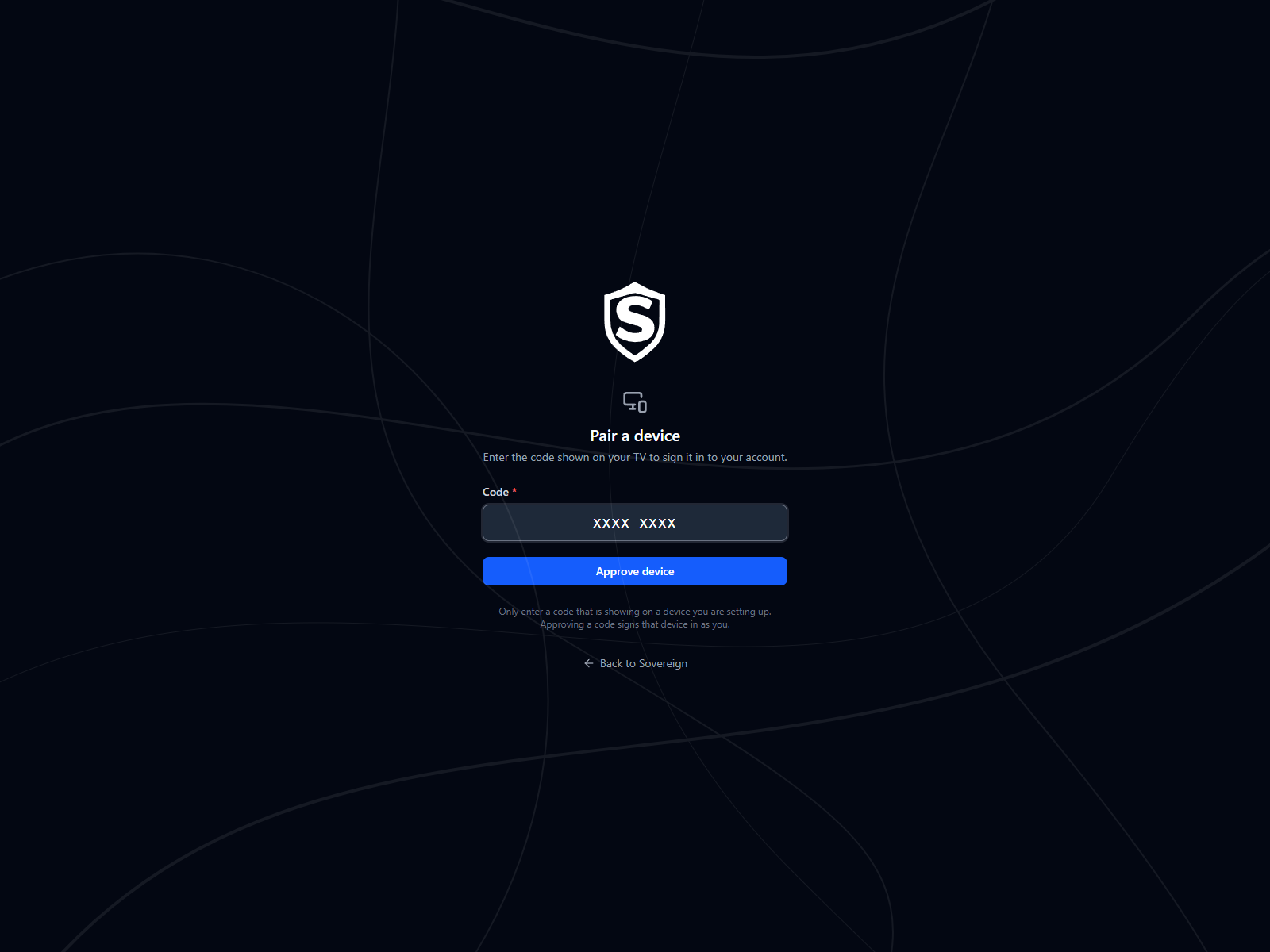
The Pair a Device page signs a TV or other remote-control device in to your account by having you type a short code, so you never have to spell out a password with a D-pad.
How It Works
Section titled “How It Works”A device that can’t offer a comfortable keyboard asks Sovereign for a pairing code instead of credentials. It then shows you two things: a short code, and the address of this page. You open that address on a phone or laptop, sign in there as you normally would, and enter the code. The device checks back every ten seconds or so, notices the approval, and signs itself in as you.
Nothing is typed on the device itself, and your password never travels through it.
The device waits and you approve at the same time, on different screens:
sequenceDiagram
  participant D as TV
  participant S as Sovereign
  participant B as Phone or laptop
  actor Y as You

  D->>S: Ask for a pairing code
  S-->>D: A code and this page's address
  Note over D: Shows the code,<br/>the address and a QR code
  par The device waits
    loop About every ten seconds
      D->>S: Approved yet?
    end
  and You approve
    Y->>B: Open the address
    B->>S: Sign in, if you aren't already
    Y->>B: Enter the code
    B->>S: Approve this code
    S-->>B: Device approved
  end
  S-->>D: Signed in as you
- On the device, choose the option to sign in with a code.
- On a phone or laptop, go to the address the device displays. If the device also shows a QR code, scanning it opens this page with the code already filled in. If you aren’t signed in yet, Sovereign asks you to sign in first and then brings you back here.
- Enter the code and select Approve device. The page changes to Device approved.
- Return to the device. It picks up the approval on its own.
Codes are eight characters and are shown grouped, like B67X-CT3Y. They’re drawn from a reduced alphabet that leaves out characters commonly misread from across a room, so there’s no O to confuse with zero and no I to confuse with one. Case doesn’t matter as you type; the field tidies up what you enter.
Codes Expire
Section titled “Codes Expire”A code is good for ten minutes and can be used once. If you take longer than that, or the device gives up waiting, ask the device for a new code rather than retrying the old one. An expired or already-used code is reported the same way as a wrong one.
After Pairing
Section titled “After Pairing”The sign-in is recorded on the Activity tab of User Settings with the time, address, and device it came from, and the device counts toward Your Devices on the Stats tab. Both are worth a look if you’re checking for a device you don’t recognise.
Titles, artwork, people and descriptions shown in screenshots are fictional and were created for illustration. Sovereign doesn't include or supply any media: it plays the library you bring.