
Getting a License
Everything about licensing a server happens on the server itself, in System > License: a free trial, a purchase, and managing the subscription afterwards. There’s no account to create and nothing to sign in to.
Before You Start
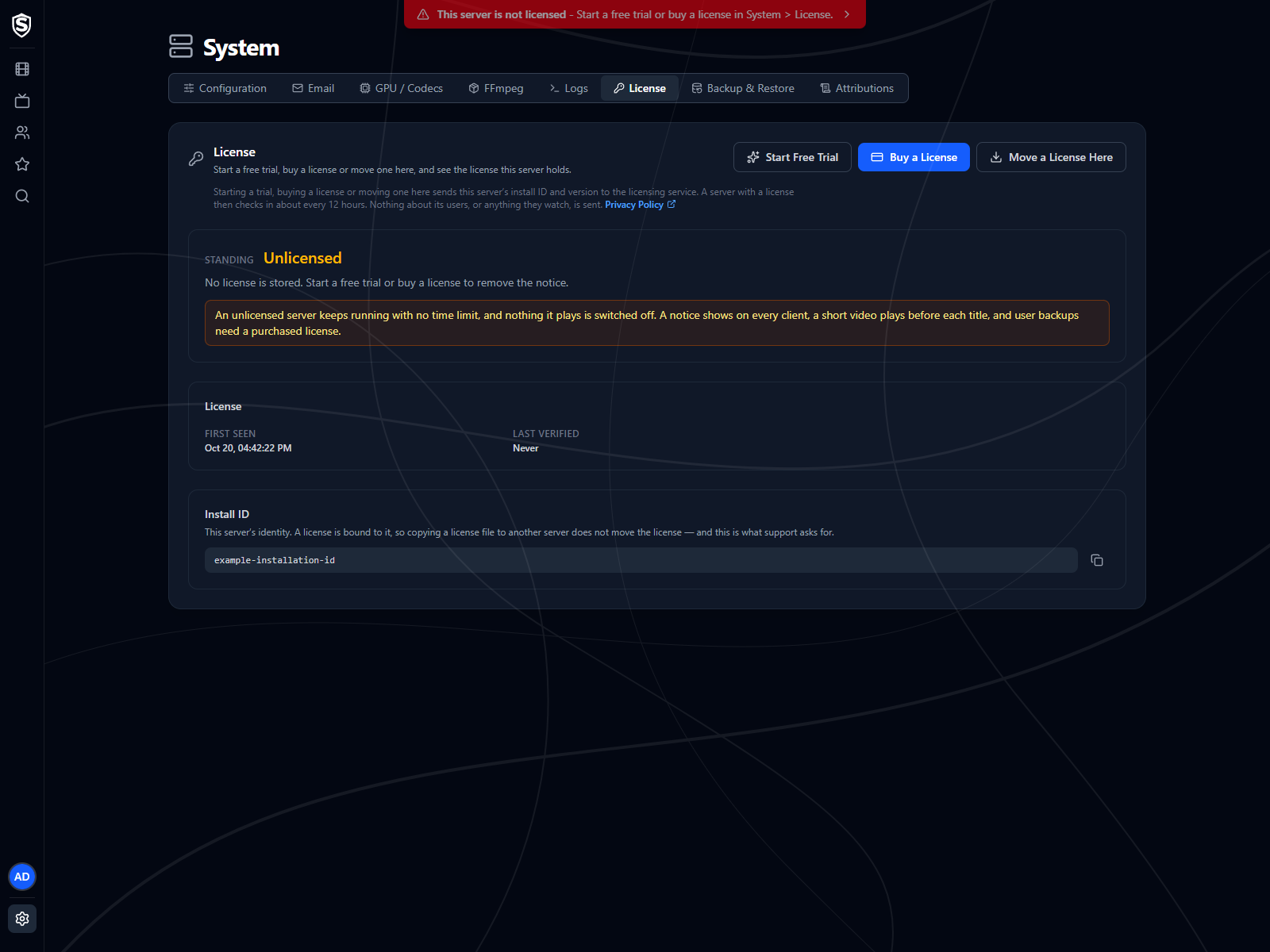
Section titled “Before You Start”You need administrator access to the server, and the server needs to reach the internet while you do this. Once it holds a license it doesn’t need to be online again: the license verifies on your own hardware for its whole term.
A server with no license reads Unlicensed and shows the notice. It offers three buttons: Start Free Trial, Buy a License and Move a License Here. The last one is for a license you already own; Moving a License covers it.
Starting a Free Trial
Section titled “Starting a Free Trial”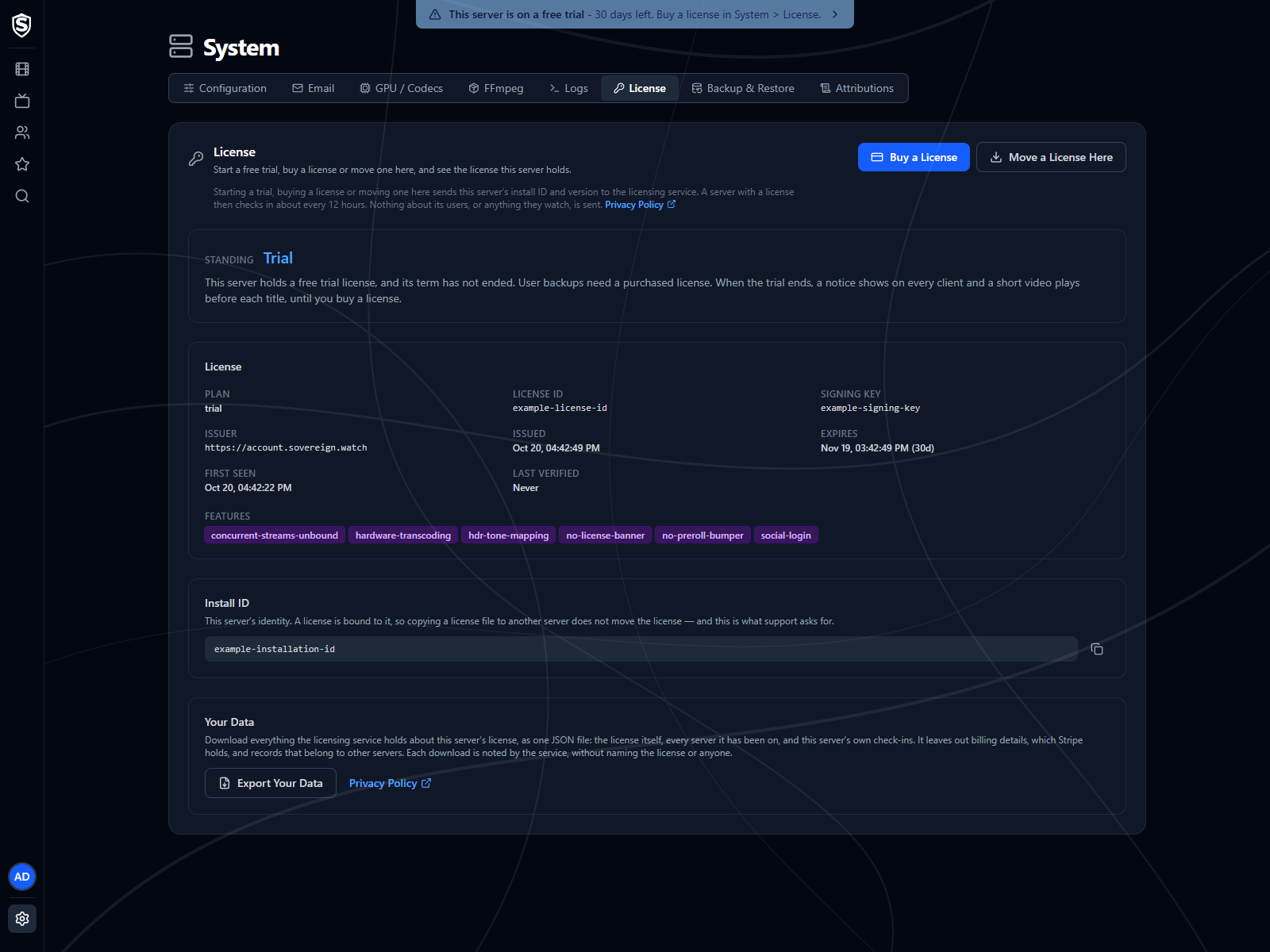
Choose Start Free Trial and the server is licensed straight away. Standing reads Trial, the notice disappears from every client, and the page shows when the trial ends.
A trial lasts 30 days, needs no card and no email address, and puts no limit on what’s watched. Each install gets one, ever. Starting a trial on an install that has already had one is refused with a message saying so, and disconnecting, updating Sovereign or recreating its container doesn’t change the answer, because the trial is tied to the server’s install ID.
A trial belongs to the server it was started on. It can’t be transferred, and it never renews. While it runs, the page offers Buy a License and Move a License Here, either of which replaces the trial with a paid license. For the whole trial, administrators see a blue notice with the days left, which turns amber for the last three days, and when it ends the notice comes back and nothing else changes.
Buying a License
Section titled “Buying a License”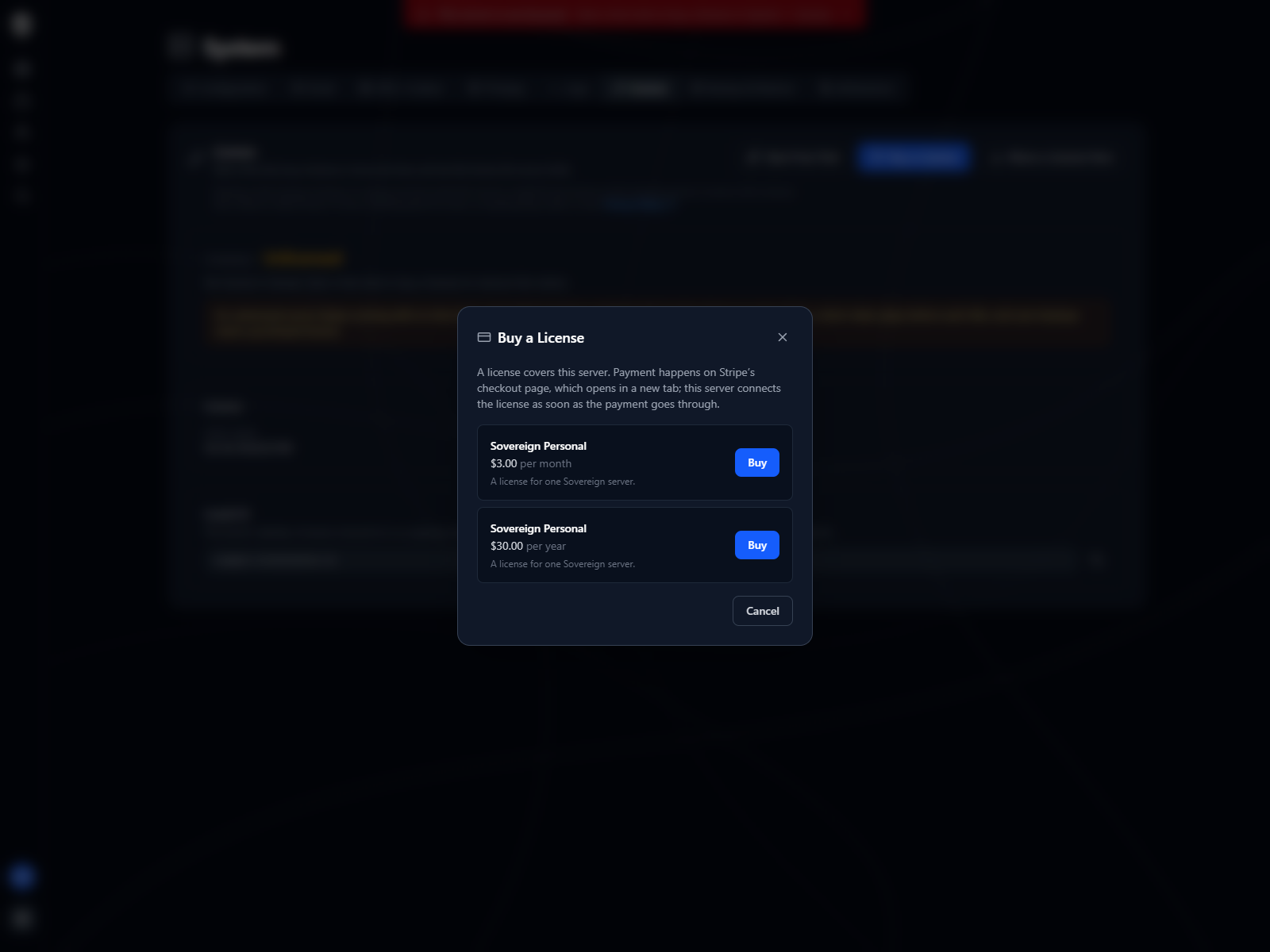
Choose Buy a License and the dialog lists what’s for sale, with the price and billing period of each: the same plans as Pricing. A license covers one server: the one you’re buying it from. A second server needs a second license.
Choosing a plan opens our payment processor’s checkout page in a new tab. That’s where you pay, and where you give the email address the receipt goes to. Sovereign never sees your card details, and the page is hosted by the payment processor, so it works even when you reach your server over plain HTTP on your home network.
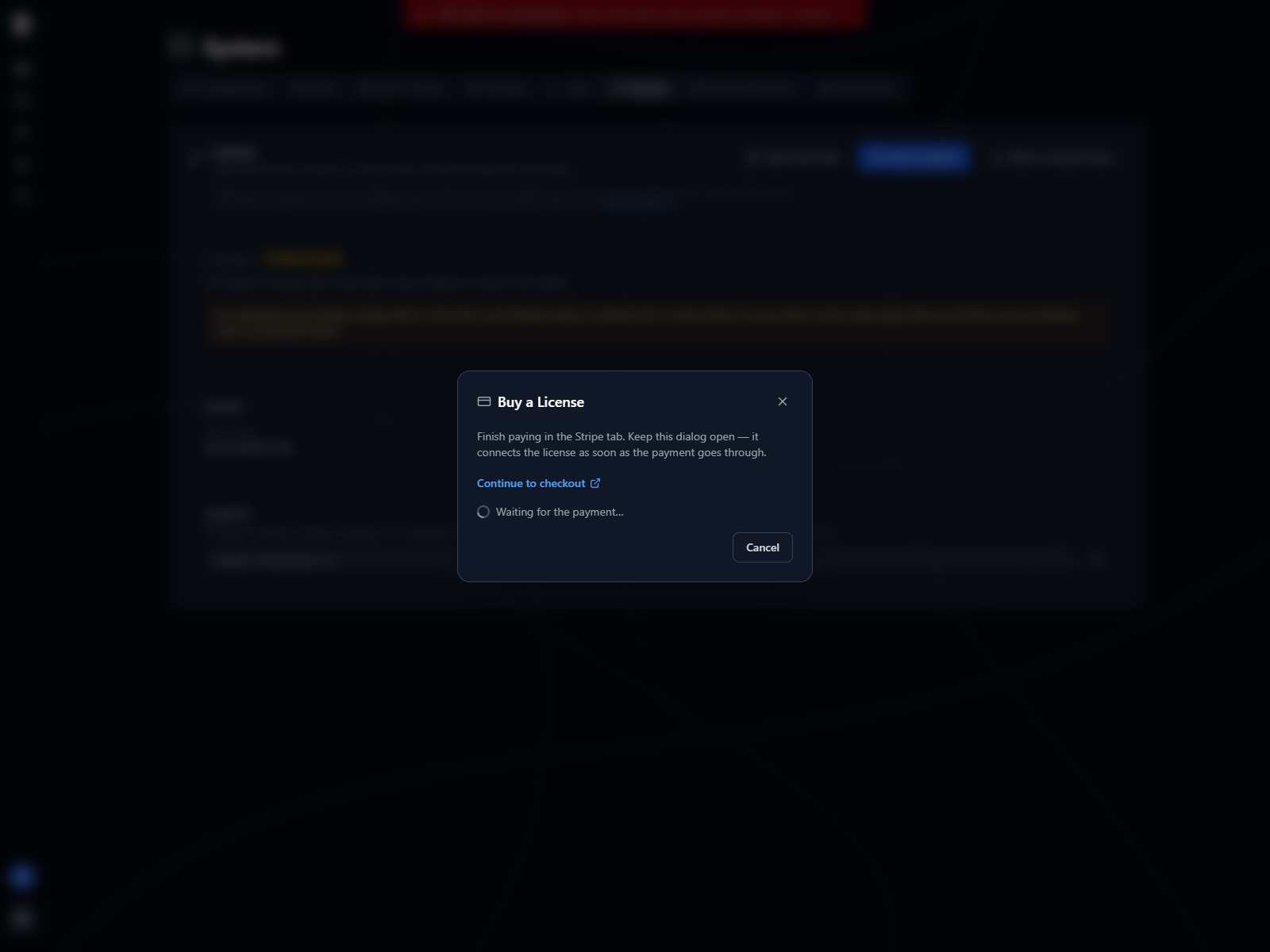
Leave the dialog open while you pay. It notices the payment going through and connects the license to this server by itself, usually within a few seconds of you finishing in the other tab. If your browser blocks the new tab, the dialog says so and gives you a link to open it instead.
Your server never has to be reachable from outside. It asks the licensing service every few seconds whether the payment has gone through.
sequenceDiagram
  actor Y as You
  participant D as License dialog
  participant S as Sovereign server
  participant L as Licensing service
  participant P as Payment processor

  Y->>D: Buy a License, choose a plan
  D->>S: Start a purchase
  S->>L: Open a checkout
  L-->>S: Checkout address
  S-->>D: Checkout address
  D->>P: Open checkout in a new tab
  par You pay
    Y->>P: Pay, and give the receipt email
    P-->>L: Payment confirmed
  and The dialog waits
    loop Every few seconds
      D->>S: Licensed yet?
      S->>L: Paid yet?
    end
  end
  L-->>S: The signed license
  S-->>D: This server is licensed
After You Pay
Section titled “After You Pay”Once the payment goes through, the checkout sends that tab here. Go back to your server’s License page: the dialog connects the license by itself, usually within a few seconds, and you can close this tab. The payment processor emails the receipt to the address you gave.
If you closed the dialog before it said the server is licensed, the license is still yours. Move a License Here with the email you paid with puts it on this server.
If You Cancel
Section titled “If You Cancel”Going back from the checkout page brings you here, and nothing is charged. Closing the tab without paying does the same. The checkout stays open for an hour, after which the dialog says it has closed and you can start a new one.
The License Page Afterwards
Section titled “The License Page Afterwards”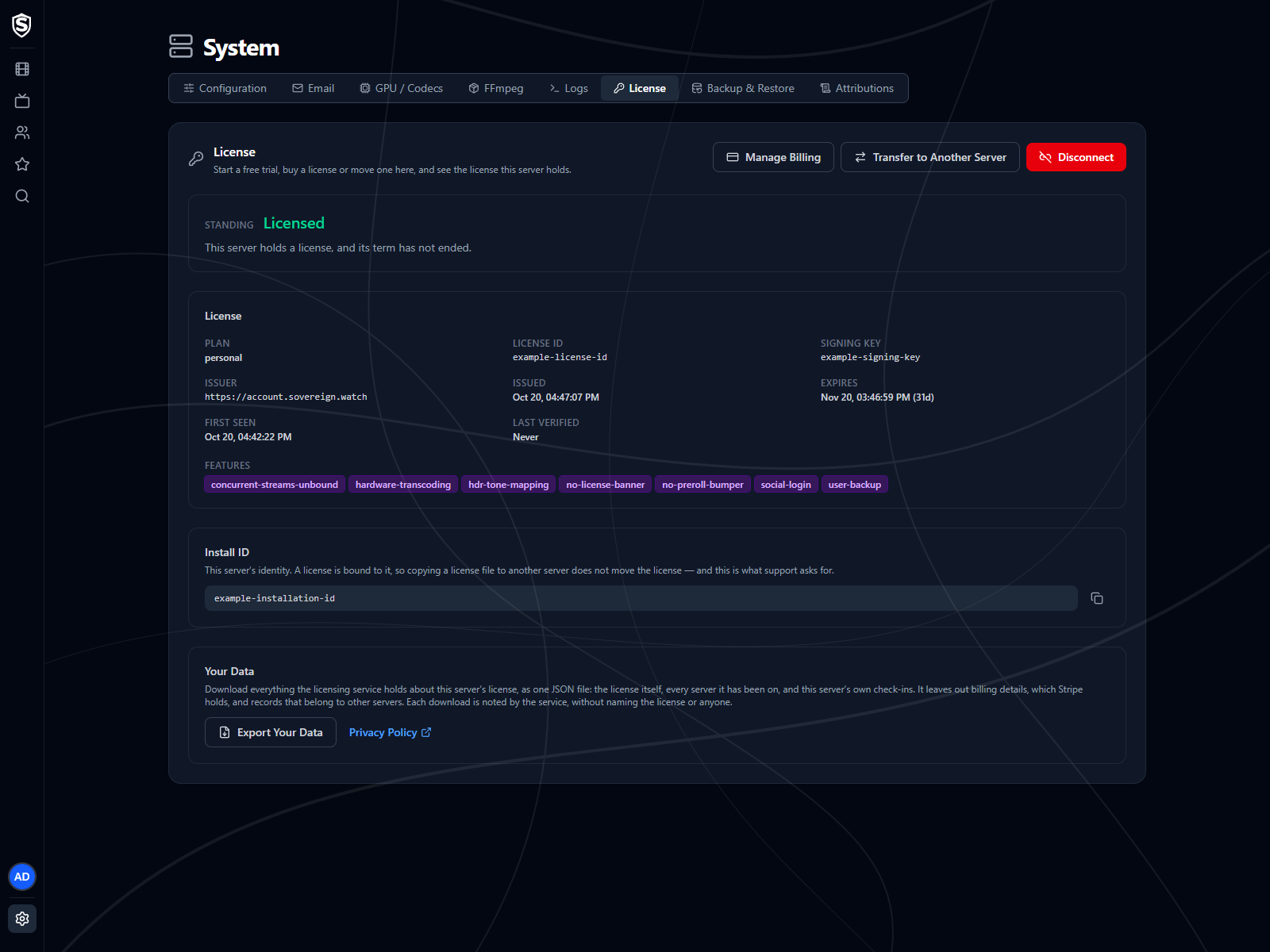
Standing reads Licensed, and the page fills in with the plan, the license ID, when the license was issued and when its term ends. The notice is gone from every client.
The buttons change to Manage Billing, Transfer to Another Server and Disconnect, and a Your Data section appears at the bottom of the page with Export Your Data. What We Hold About a License covers the export, and Moving a License the last two buttons.
Managing Billing
Section titled “Managing Billing”Manage Billing opens the billing portal for the subscription behind this server’s license, in a new tab. That’s where you update a card, download invoices, or cancel. Sovereign doesn’t hold any of that, so the portal is the only place to change it. The portal’s link back brings you to this section, and you can close the tab: whatever you changed reaches the server by itself at its next check-in, within about 12 hours.
Cancelling stops the next renewal and takes nothing away mid-term. The license runs to the date it already carries, and once that passes the server reads Expired and the notice comes back. The server carries on working, as it always does.
Request Refund gives your money back for a payment made in the last 30 days, a first purchase or a renewal. It’s on the License page while a refund is available, and it says until when. A refund ends the license straight away and cancels the subscription, and each server can be refunded this way only once. Sovereign asks you to confirm both before anything happens. The Terms of Use cover refunds in full.
If a payment fails, the term still runs out on its date, and the server shows a red notice once it has. Fix the card in Manage Billing: once the payment goes through, the server picks up the renewed license by itself at its next check-in, within about 12 hours, with nothing else to do.
If It’s Refused
Section titled “If It’s Refused”The dialog shows the reason in the licensing service’s own words. The common ones:
- This server has already had its free trial - each server gets one. Buy a license instead.
- This server is still registered to an active license - a paid license, still in its term, is already on this server. Disconnect it first if you mean to replace it, or move it to another server. Buying is refused before you’re sent to pay, so you aren’t charged for a license this server can’t take.
- Your payment went through, but the license could not be connected - something changed on this server between choosing a plan and paying, usually another license arriving. The license is yours and paid for: move it to this server or another with Move a License Here and the email you paid with.
- Purchasing is not available right now - the licensing service couldn’t reach the payment processor. Try again in a few minutes.
Renewals
Section titled “Renewals”Nothing needs doing when a subscription renews. The server picks up a license for the new term the next time it checks in, which it does a couple of times a day, and the License page shows the new end date. Administrators see a blue notice for the last 14 days of a term, which is information only.
A server that’s offline when the renewal happens keeps running to its old end date, then reads Expired. Once it’s back online it picks up the new term at its next check-in. Licensing describes that check and what it sends.
Titles, artwork, people and descriptions shown in screenshots are fictional and were created for illustration. Sovereign doesn't include or supply any media: it plays the library you bring.