
Admin: Users
The Users page is where you manage every account on the server.
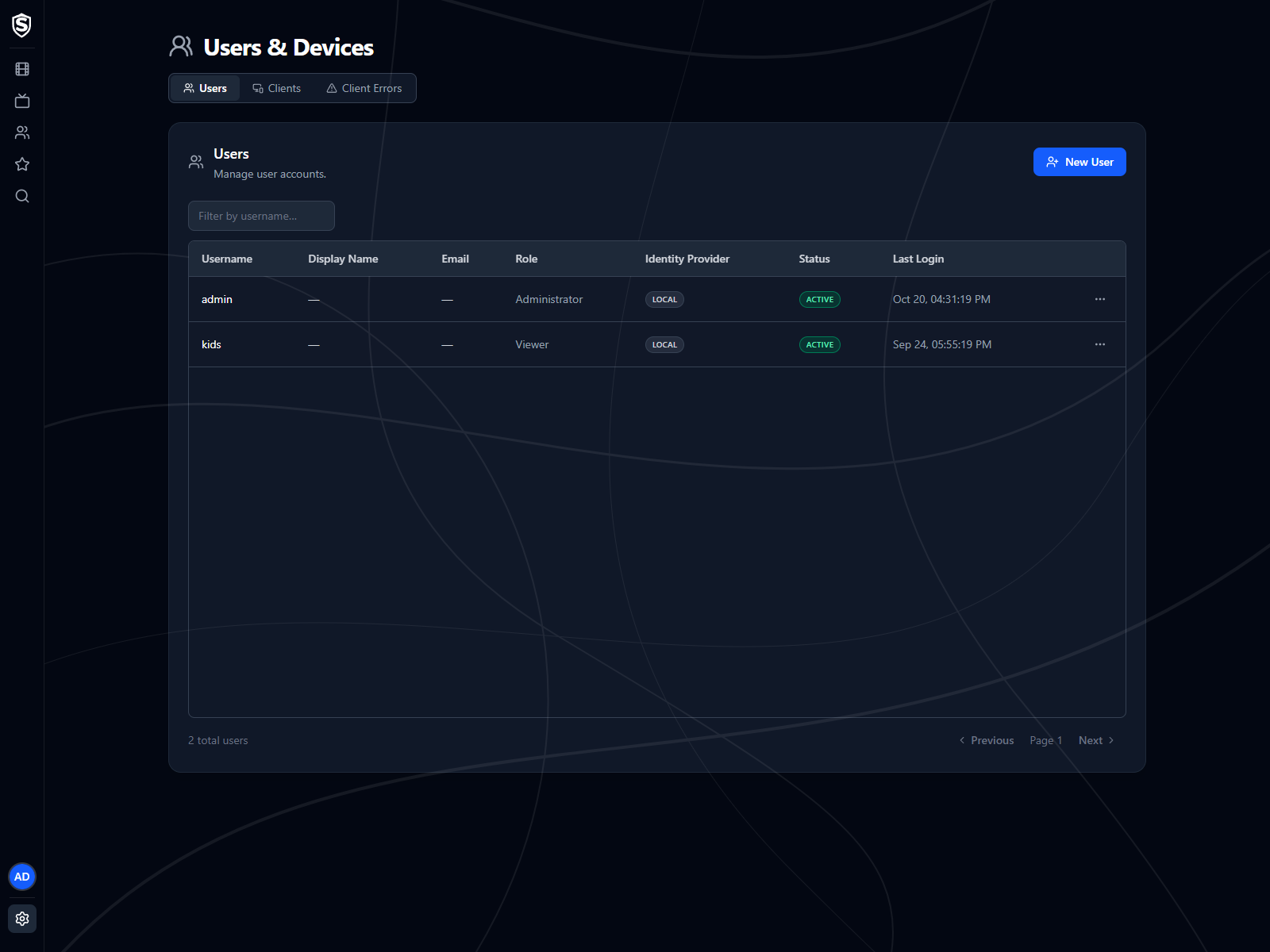
The table lists each user’s username, display name, email, role, identity provider (local or social sign-in), status (Active or Locked), and last login. Use the filter box to find a user by username in larger installs, and the pagination controls to page through the list.
User Actions
Section titled “User Actions”New User creates a local account directly, without waiting for someone to sign up: a username, an optional email, a password (Generate fills in a random one), and a role. The roles are Administrator, Read-Only Admin, Viewer and Unapproved.
The actions menu at the end of each row is where existing accounts are managed:
- Unlock Account - clears a lockout after too many failed sign-ins. Only available while the account is locked.
- Reset Password - sets a new password for the user.
- Change Role - moves the user to another role. This is how you approve someone who signed up through a social identity provider: those accounts start as Unapproved and can’t do anything until you give them a role. If email is set up, administrators are mailed when one arrives.
- Preferences - the user’s default audio language, bitrate and quality, plus a Maximum Content Rating that hides anything rated above it, and unrated content too. Only an admin can set the rating limit.
- Delete User - removes the account and the data that belongs to it, after a confirmation that lists exactly what goes (see below).
You can’t change your own role or delete your own account.
Deleting a User
Section titled “Deleting a User”The confirmation counts what the deletion removes for that particular user: the account and how it signs in, its signed-in sessions, watch progress, favourites, activity log entries, the devices only that user signed in on (listed by name), the error reports its apps sent, and its profile picture. Categories the user has nothing in are left off. Signed-in sessions end at once, so an app the user is signed in on is refused on its next request rather than when its sign-in would have expired.
A few things outlive the deletion, and the confirmation lists them under Kept after deletion:
- Shared devices - a device another user also signs in on stays on the Clients list. Only its link to the deleted user goes.
- Server log files - they name users beside what they played, and are deleted after 31 days.
- Sent-email records - the record of any email that contained the user’s address, such as the notice that they asked for an account, is kept for 90 days. Email covers changing that.
The confirmation shows the periods your server is actually configured with. If you’re deleting an account because someone asked you to erase their data, those are what’s left on the server afterwards, and when each one goes.
Related Pages
Section titled “Related Pages”- Server-wide viewing behaviour lives in Analytics.
- Sign-in and playback events per user are recorded in the Activity Logs.
- Exporting every account to an archive, and restoring one onto a new install, is on Backup & Restore.
Titles, artwork, people and descriptions shown in screenshots are fictional and were created for illustration. Sovereign doesn't include or supply any media: it plays the library you bring.