
User Settings
Open the account menu (your avatar at the foot of the rail, or in the top-right corner on a phone) and choose User Settings to manage your account and see your own activity and device details. The page has six tabs: Profile, Preferences, Stats, Activity, Client Profile, and Privacy.
Profile
Section titled “Profile”Update how you appear in Sovereign.
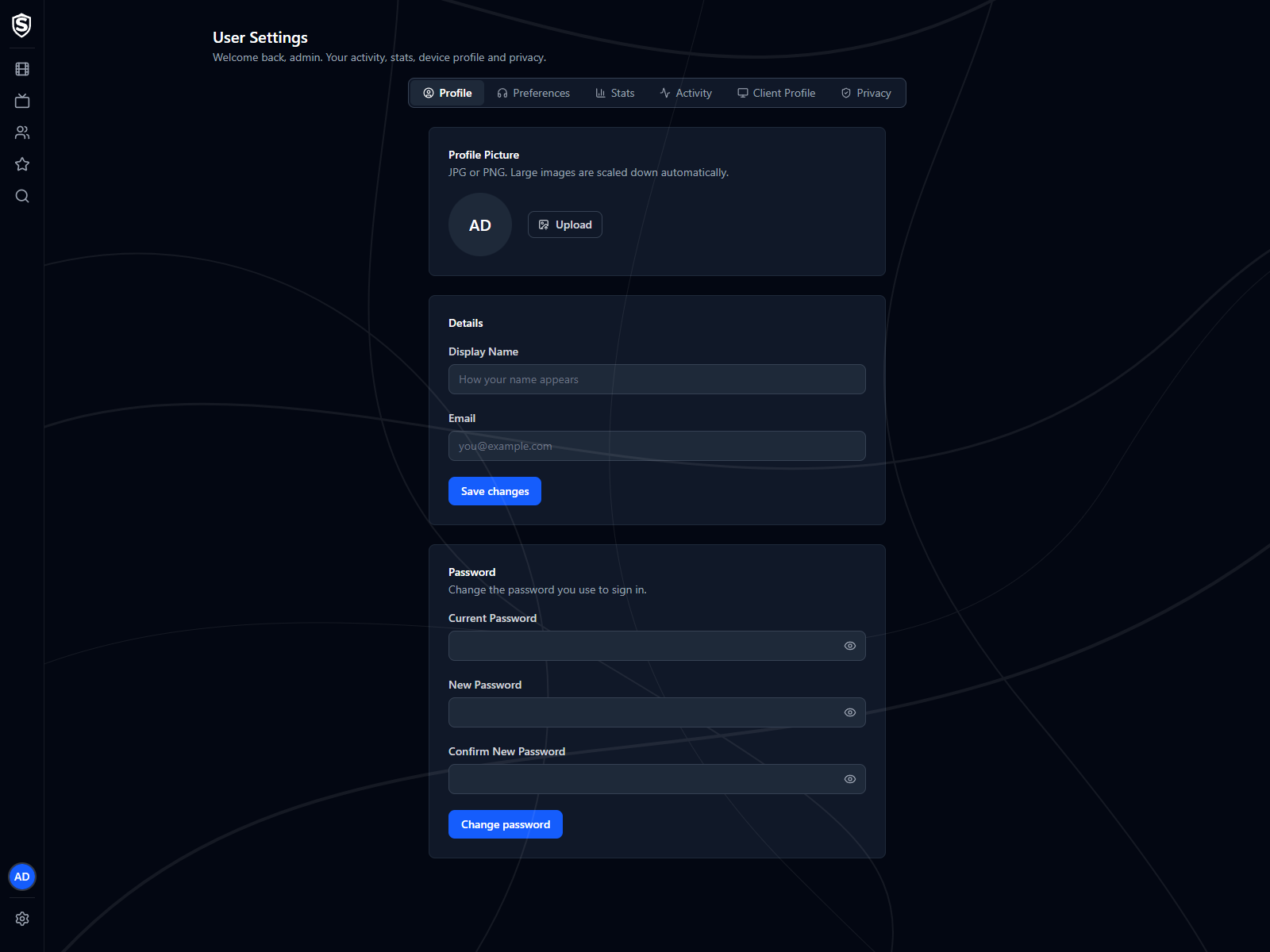
- Profile Picture - upload a JPG or PNG to use as your avatar. Large images are scaled down automatically, so there’s no need to resize them first. Once set, a Remove option lets you clear it and fall back to your initials.
- Display Name - the name shown next to your avatar and throughout the app.
- Email - the email address on your account. If you signed in with Google or Microsoft, your email is managed by that provider and shown here for reference only.
- Password - change the password you use to sign in by entering your current password and your new one. It only appears for accounts with a local password; accounts that sign in with Google or Microsoft don’t have one.
Select Save changes to apply your display name and email; picture changes take effect immediately.
Preferences
Section titled “Preferences”Playback choices applied every time you start something, on any client you sign in to.
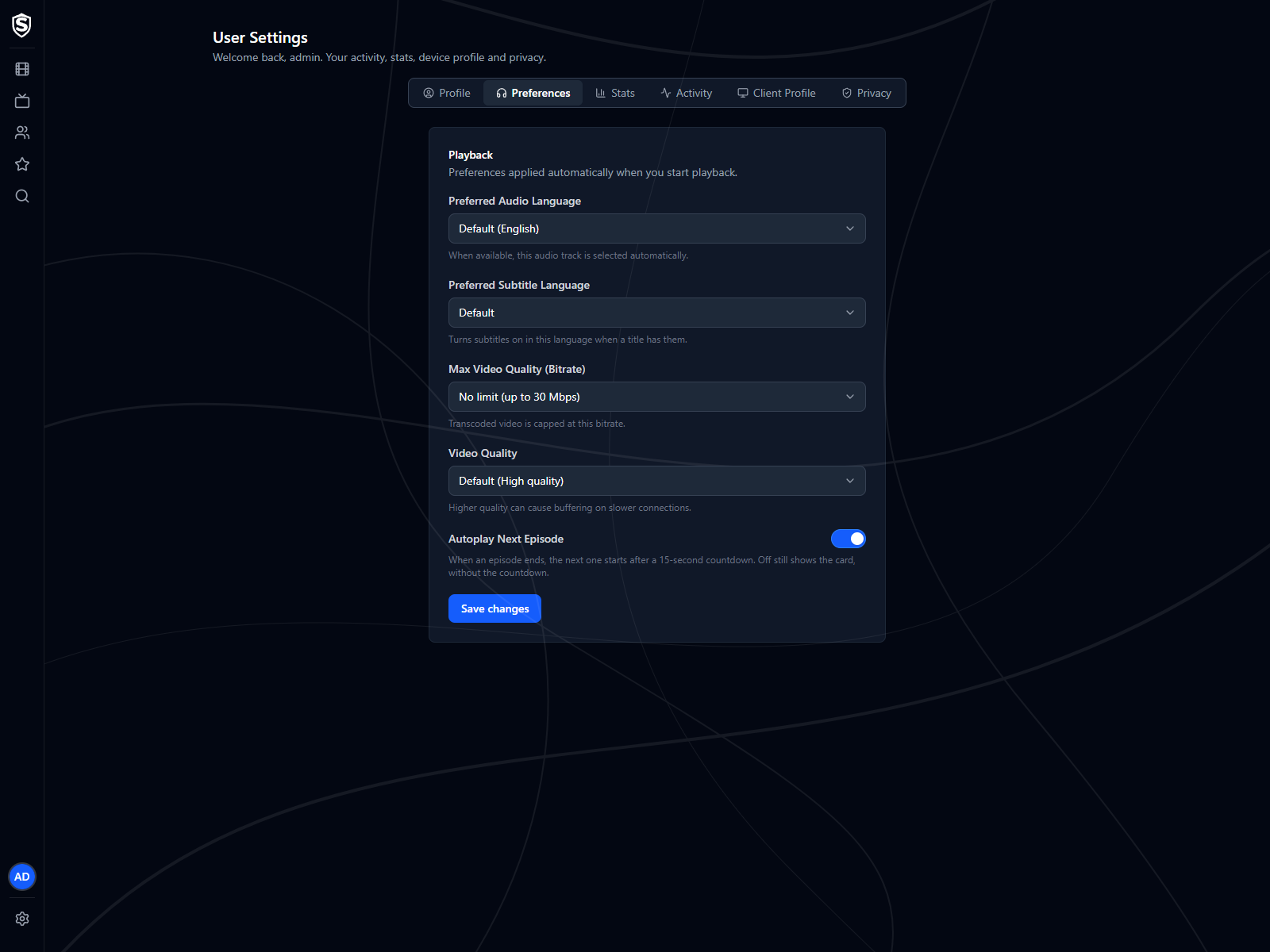
- Preferred Audio Language - when a title has a track in this language, it’s the one that plays. Leave it on Default to use the server’s setting. Languages your library actually carries are listed first.
- Max Video Quality (Bitrate) - a ceiling for transcoded video. Lower it if playback buffers on a slow connection. The list stops at the limit set for the whole server.
- Video Quality - how the server trades file size against picture quality when it has to re-encode.
- Autoplay Next Episode - when On, the next episode starts after a 15-second countdown when one ends. Off still shows the next-episode card, without the countdown. See the video player.
Select Save changes to apply. These apply to future playback, not to a stream already running.
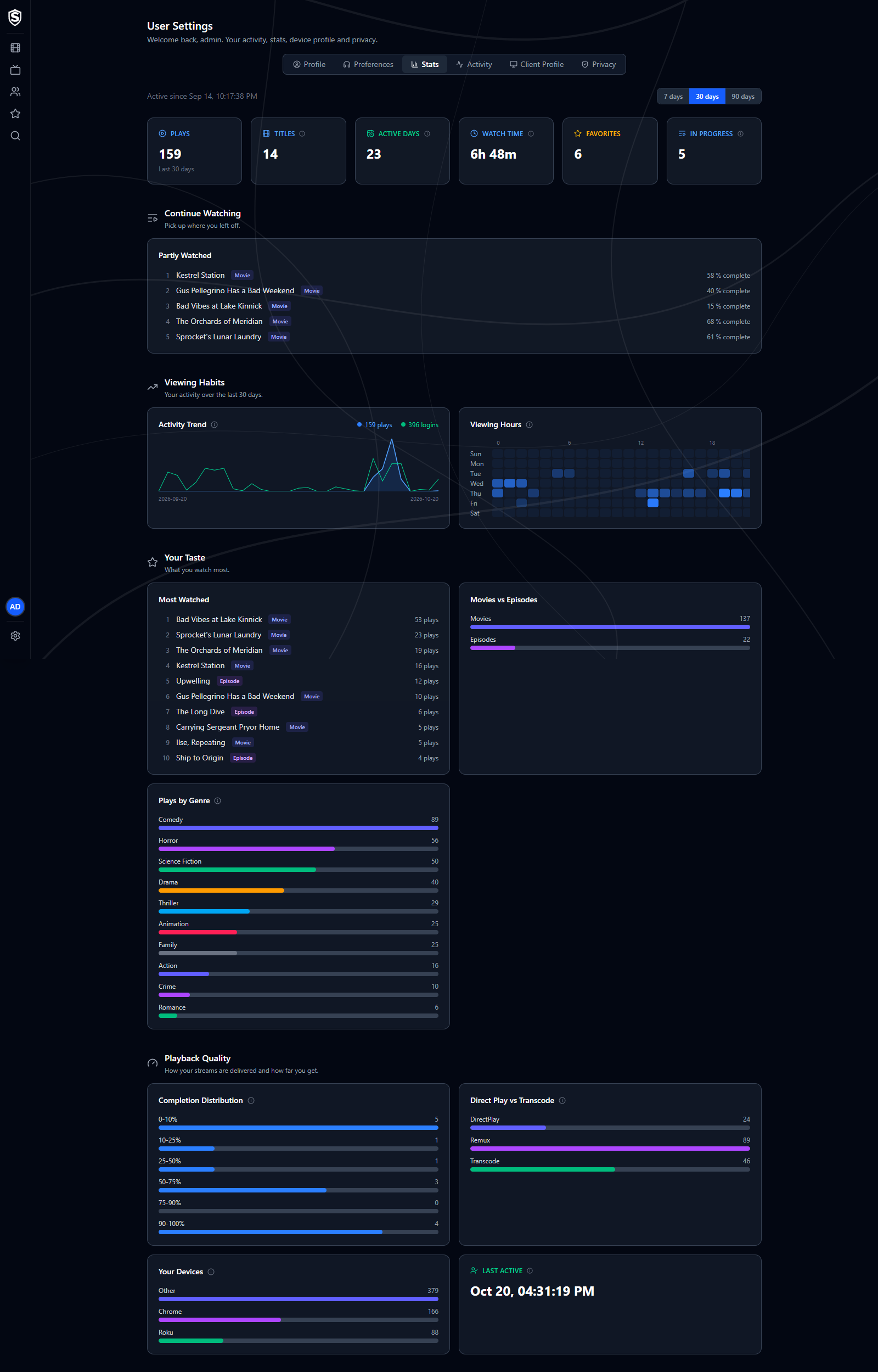
Your personal viewing activity over a selectable window of 7, 30, or 90 days. Across the top are counts of plays, titles, active days, watch time, favorites, and titles in progress, with the titles you’re partway through listed below them.
The charts cover when you watch (daily activity and the hours of the week), what you watch (most watched, movies against episodes, and plays by genre), and how it reaches you: how far into titles you get, how often your streams direct play rather than transcode, and the devices you watch on. Last Active is your most recent sign-in.
Activity
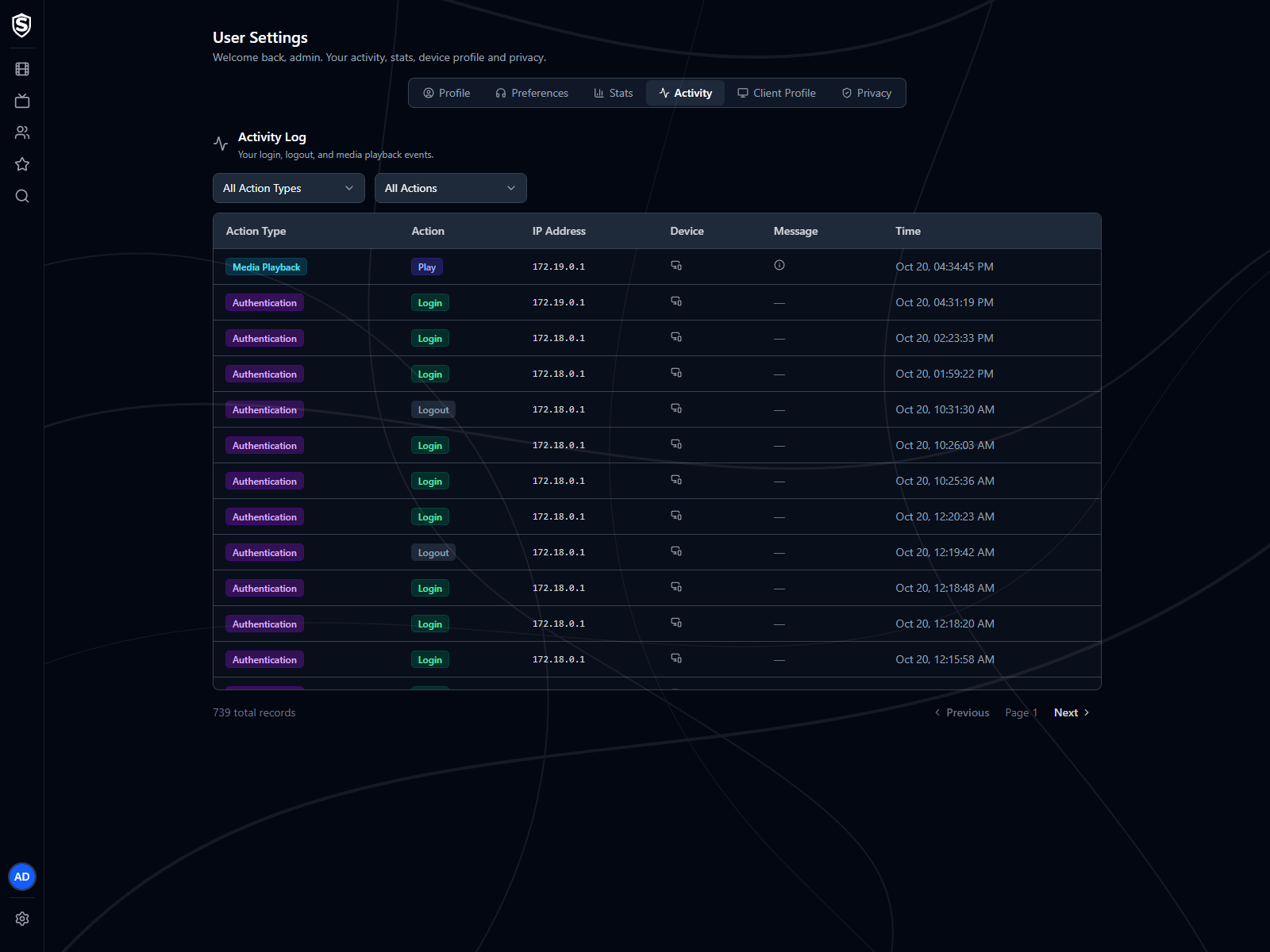
Section titled “Activity”A log of your account events, including logins, logouts, and media playback, with the time, IP address, and device for each. You can filter by action type or action and page back through your full history.
Client Profile
Section titled “Client Profile”What Sovereign has detected about the browser you’re using right now, which it uses to decide how media is delivered to you. Other devices you sign in on aren’t listed here; they show up under Your Devices on the Stats tab.
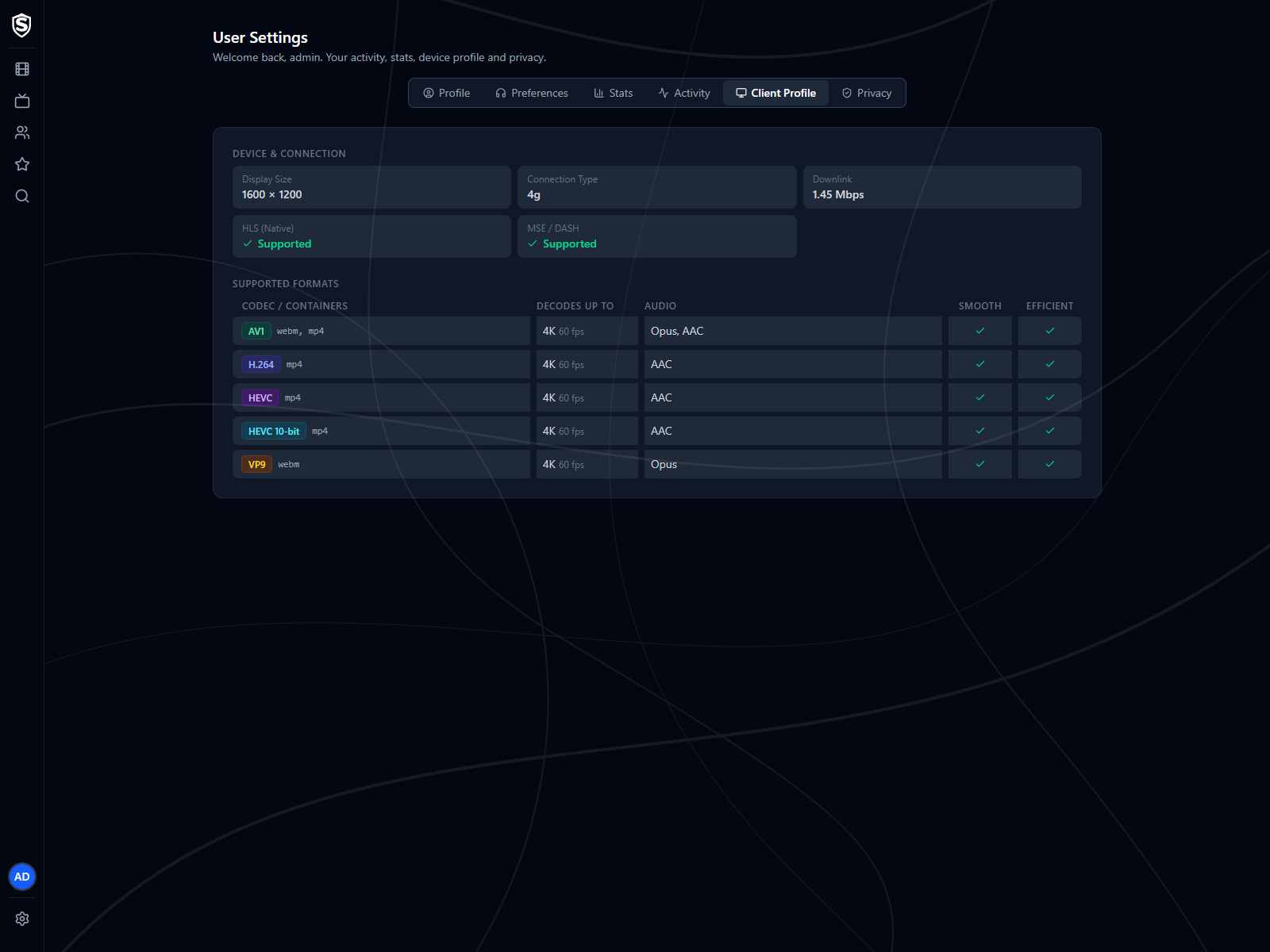
- Device & Connection - display size, connection type, estimated bandwidth, and whether the browser supports native HLS or MSE playback.
- Supported Formats - each video codec your browser reports it can play, with its containers, the largest resolution and frame rate it decodes, the audio codecs that go with it, and whether playback is expected to be smooth and power-efficient.
There’s nothing to configure on this tab.
Privacy
Section titled “Privacy”Take a copy of what the server holds about you, or delete your account, without asking an administrator. Both are only on the web interface; the TV and phone apps don’t offer them.
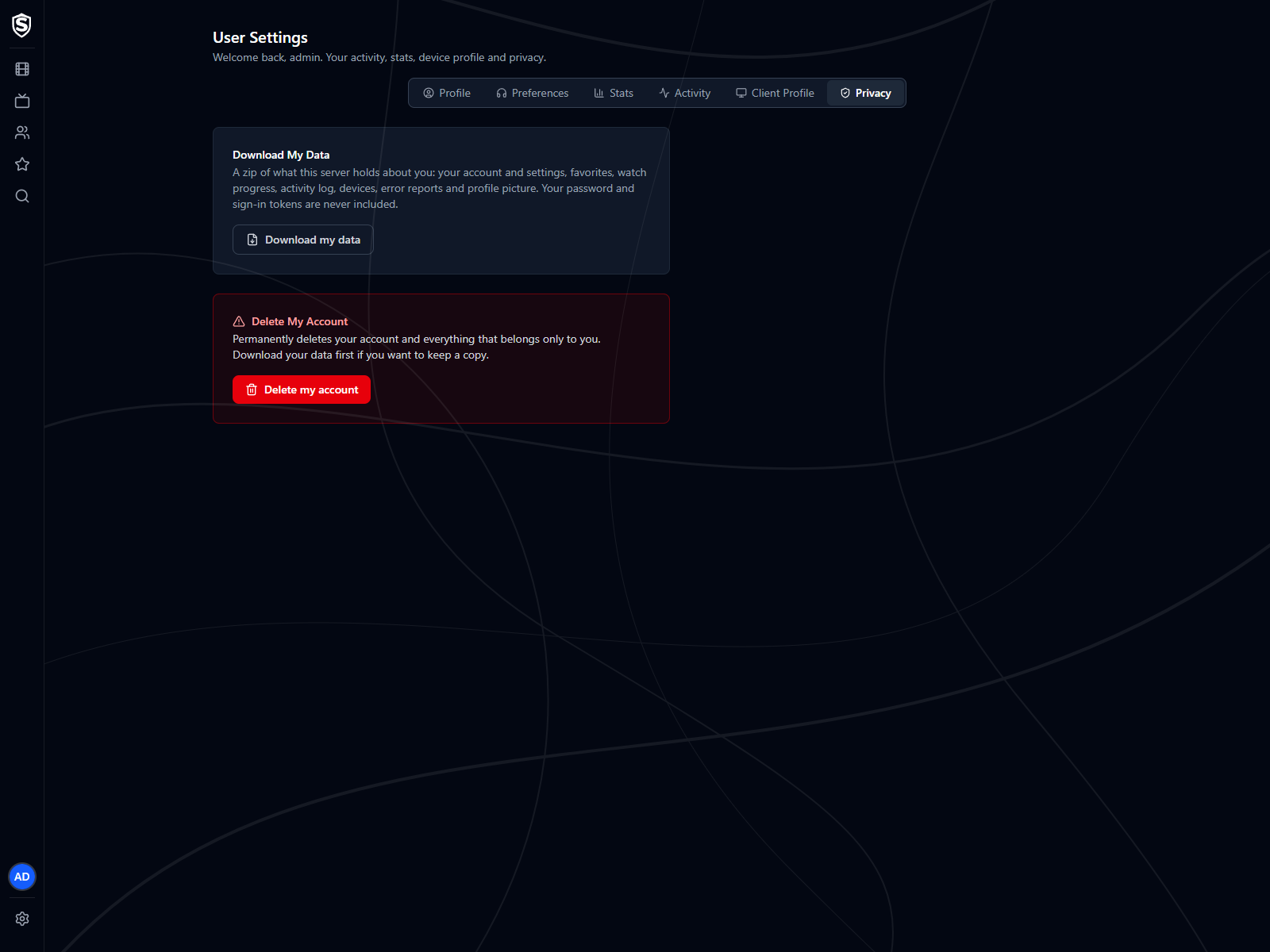
- Download My Data - saves a zip of everything this server holds about you: your account and its settings, favorites, watch progress named by title, your activity log, the devices you’ve signed in on, error reports from your apps, and your profile picture. Your password and sign-in tokens are never included, and the file can’t be restored onto a server. It’s for you to keep and read, not a backup.
- Delete My Account - permanently removes your account and everything that belongs only to you. Before anything is deleted, Sovereign lists exactly what goes and what stays behind. A device another person also signs in on stays, with only your link to it removed, and server log files and sent-email records are kept until they age out. Confirm with your current password, or by typing your username if you sign in with Google or Microsoft.
Deleting your account signs you out everywhere at once, and it can’t be undone, so download your data first if you want a copy. If you’re the server’s only administrator, the deletion is refused until you make someone else an administrator with Change Role on the Users page.
Titles, artwork, people and descriptions shown in screenshots are fictional and were created for illustration. Sovereign doesn't include or supply any media: it plays the library you bring.