
Home
The home page is your landing spot after signing in. It shows what’s new and what’s airing across your library.
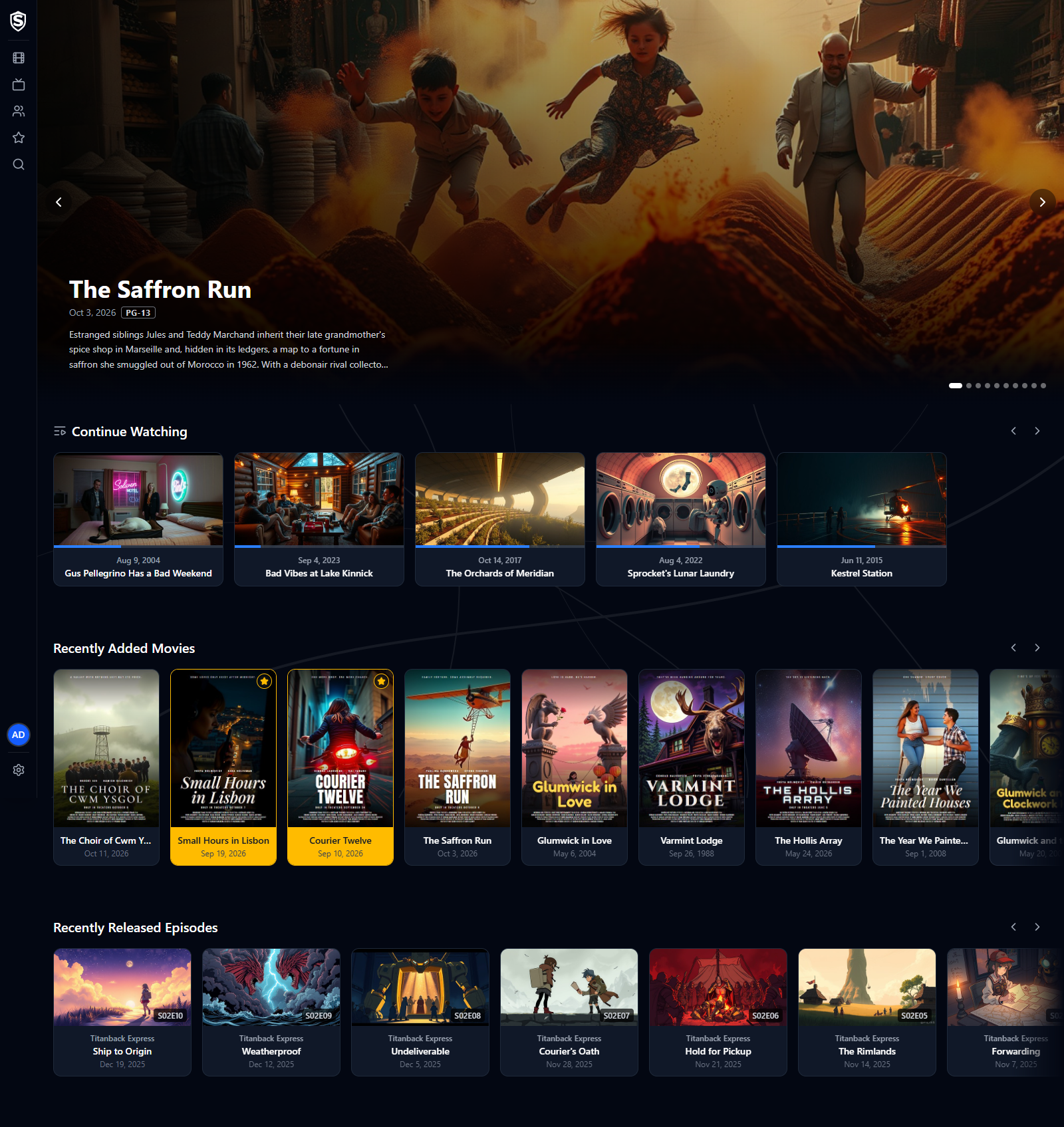
Hero Carousel
Section titled “Hero Carousel”The top of the page is a spotlight on the ten movies in your library that are most popular right now. Each slide shows the title’s backdrop, release date, content rating, critic scores, and a short synopsis. Click the title to jump straight to its details page. The slides don’t advance on their own: use the arrows, the dots, or the left and right arrow keys to move between them.
Continue Watching
Section titled “Continue Watching”Titles you started but didn’t finish, each showing how far through you are. Click one to go straight into the player and resume where you left off. The row only appears when you have something in progress.
Recently Added Movies
Section titled “Recently Added Movies”A horizontally scrolling row of the movies most recently added to the library, each showing its poster, title, and release date, with a gold border and star on the ones you’ve favorited. Use the arrow buttons (or scroll) to move through the row, and click any poster to open the movie’s details.
Recently Released Episodes
Section titled “Recently Released Episodes”A matching row for TV, ordered by episode air date. Each card shows the episode still, its season/episode number, the series name, the episode title, and the air date. Clicking a card opens the episode’s details.
Titles, artwork, people and descriptions shown in screenshots are fictional and were created for illustration. Sovereign doesn't include or supply any media: it plays the library you bring.