
Admin: Configuration
The Configuration page lists the server’s current runtime settings in a single table, sorted by environment variable name. Each row names the variable exactly as you’d set it, so you can copy it straight into your compose file or environment.
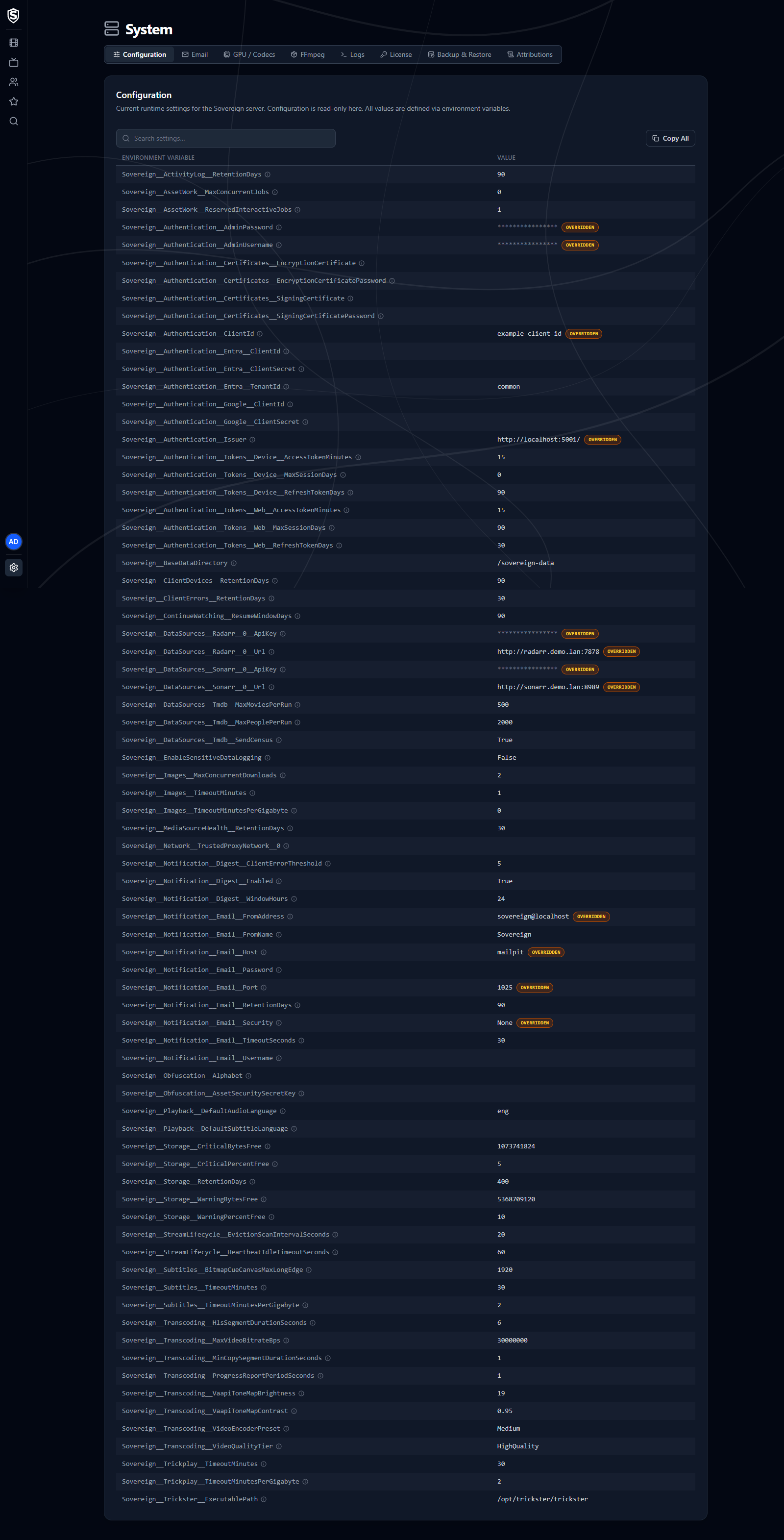
- Read-only - values come from environment variables, or are the server’s defaults, and can’t be edited here. See the Configuration reference for how to change them.
- Redaction - sensitive values such as passwords, API keys, and connection strings are masked with asterisks. The real value never leaves the server, so it can’t be recovered from the page.
- Override badges - settings that have been overridden from their defaults are marked, so you can see at a glance which values your deployment has customized.
- Hints - the info icon next to a setting explains what it does.
- Search - the box above the table filters it as you type, matching setting names, values, and the words in each hint. Paste a name in either spelling (
Sovereign__Notification__Email__PortorEmail:Port) to find that one setting. Escape clears it. - Copy All - the button above the table copies every setting, whether it’s overridden, and its value to your clipboard as aligned columns, ready to paste into a support thread or a scratch file. It copies the whole table even while a search is narrowing it. Masked values copy as asterisks, not as the secret.
Check this page when you need to confirm the server picked up a setting you deployed.
© 2026 Sovereign Media LLCdocs/v1.0.5@98b57ac305fc
Titles, artwork, people and descriptions shown in screenshots are fictional and were created for illustration. Sovereign doesn't include or supply any media: it plays the library you bring.